Hi
I have an ESP32 water level monitor setup using ESP32 Now (1 master ESP32 and 1 slave ESP32CYD) and I can succesfully transmit date between the two and show the data on the CYD using lvgl.
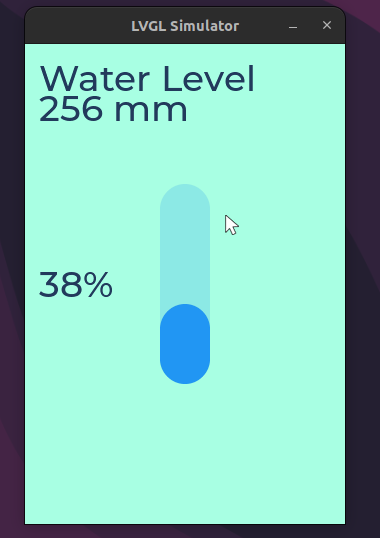
I have created a bar to show the level of the water and I wish to change this when the received data changes.
I can create the bar and set the initial value, however, when I try to change the bar value using lv_bar_set_value(bar1, myData.c, LV_ANIM_ON);, I get the following error message on the Arduino IDE serial monitor and the screen does not update anything.
[Error] (0.005, +5) lv_bar_set_value: Asserted at expression: obj != NULL (NULL pointer) lv_bar.c:102
The CYD is still receiving data succesfully.
I have tried putting the lv_bar_set_value(bar1, myData.c, LV_ANIM_ON) in the main loop and within the function that updates the screen text
My code below is only 180 lines
/* ESP Now Water Level Monitor Reciever */
#include <esp_now.h>
#include <WiFi.h>
#include <lvgl.h>
#include <TFT_eSPI.h>
#define LCD_BACKLIGHT_PIN 27
#define SCREEN_WIDTH 320
#define SCREEN_HEIGHT 480
#define DRAW_BUF_SIZE (SCREEN_WIDTH * SCREEN_HEIGHT / 10 * (LV_COLOR_DEPTH / 8))
uint32_t draw_buf[DRAW_BUF_SIZE / 4];
// Theme Colors
#define THEME_COUNT 2
uint32_t theme_bg_top[THEME_COUNT] = {0xA8FFE3, 0x2c3e50}; // Light teal, Dark blue
uint32_t theme_bg_bottom[THEME_COUNT] = {0x56E3C3, 0x1a2530}; // Dark teal, Darker blue
uint32_t theme_card[THEME_COUNT] = {0x4FD7B7, 0x34495e}; // Card color
uint32_t theme_accent[THEME_COUNT] = {0x223a5c, 0xecf0f1}; // Text color
uint32_t theme_separator[THEME_COUNT] = {0xc0c0c0, 0x606060}; // Separator colors
#define SEPARATOR_OPA 0x22
int level;
// UI Elements
static lv_obj_t *scr_home;
static lv_obj_t *lbl_desc, *lbl_dist, *lbl_perc;
lv_obj_t * bar1;
TFT_eSPI tft = TFT_eSPI();
SPIClass touchscreenSPI = SPIClass(VSPI);
// Structure to receive water level data
// Must match the sender structure
typedef struct struct_message {
char a[32]; // Input Description
int b; // input measurement in mm
int c; // input measurement as %
int d; // random number to check messages are changing
} struct_message;
// Create a struct_message called myData
struct_message myData;
// callback function that will be executed when data is received
void OnDataRecv(const uint8_t * mac, const uint8_t *incomingData, int len) {
memcpy(&myData, incomingData, sizeof(myData));
Serial.print("Bytes received: ");
Serial.println(len);
Serial.print("Char: ");
Serial.println(myData.a);
Serial.print(“Depth: “);
Serial.print(myData.b);
Serial.println(” mm”);
Serial.print(“Fill Level: “);
Serial.print(myData.c);
Serial.println(” %”);
Serial.print("Timestamp: ");
Serial.println(myData.d);
Serial.println();
}
void update() {
lv_label_set_text(lbl_desc, myData.a);
lv_label_set_text_fmt(lbl_dist, “%d mm”, myData.b);
lv_label_set_text_fmt(lbl_perc, “%d%%”, myData.c);
//lv_bar_set_value(bar1, myData.c, LV_ANIM_ON); // This is where the code fails and stops the sceen updates
}
void setup_home_screen() {
scr_home = lv_obj_create(NULL);
lv_obj_set_scrollbar_mode(scr_home, LV_SCROLLBAR_MODE_OFF);
lv_obj_set_style_border_width(scr_home, 0, 0);
lv_scr_load(scr_home);
// Description
lbl_desc = lv_label_create(scr_home);
lv_obj_set_style_text_font(lbl_desc, &lv_font_montserrat_36, 0);
lv_obj_set_style_text_color(lbl_desc, lv_color_hex(0x223a5c), 0);
lv_obj_align(lbl_desc, LV_ALIGN_TOP_LEFT, 14, 14);
lv_label_set_text(lbl_desc, "");

// Measurement
lbl_dist = lv_label_create(scr_home);
lv_obj_set_style_text_font(lbl_dist, &lv_font_montserrat_36, 0);
lv_obj_set_style_text_color(lbl_dist, lv_color_hex(0x223a5c), 0);
lv_obj_align(lbl_dist, LV_ALIGN_TOP_LEFT, 14, 44);
lv_label_set_text(lbl_dist, "---mm");

// Percentage
lbl_perc = lv_label_create(scr_home);
lv_obj_set_style_text_font(lbl_perc, &lv_font_montserrat_36, 0);
lv_obj_set_style_text_color(lbl_perc, lv_color_hex(0x223a5c), 0);
lv_obj_align(lbl_perc, LV_ALIGN_LEFT_MID, 14, 0);
lv_label_set_text(lbl_perc, "--%");

// Percentage bar
lv_obj_t * bar1 = lv_bar_create(lv_scr_act());
lv_obj_set_size(bar1, 50, 200);
lv_obj_center(bar1);
lv_obj_align(bar1, LV_ALIGN_CENTER, 0, 0);
lv_bar_set_value(bar1, 70, LV_ANIM_ON);


apply_theme();
}
void apply_theme() {
if (scr_home) {
    lv_obj_set_style_bg_color(scr_home, lv_color_hex(0xA8FFE3), 0);
    lv_obj_set_style_bg_grad_dir(scr_home, LV_GRAD_DIR_NONE, 0);
    lv_obj_set_style_border_width(scr_home, 0, 0);
    lv_obj_set_scrollbar_mode(scr_home, LV_SCROLLBAR_MODE_OFF);
}
}
void update_brightness() {
analogWrite(LCD_BACKLIGHT_PIN, 255);
}
static void disp_flush(lv_display_t * disp, const lv_area_t * area, uint8_t * px_map) {
uint32_t w = (area->x2 - area->x1 + 1);
uint32_t h = (area->y2 - area->y1 + 1);
tft.startWrite();
tft.setAddrWindow(area->x1, area->y1, w, h);
tft.pushColors((uint16_t *)px_map, w * h, true);
tft.endWrite();
lv_display_flush_ready(disp);
}
void setup() {
// Initialize Serial Monitor
Serial.begin(115200);
pinMode(LCD_BACKLIGHT_PIN, OUTPUT);
analogWrite(LCD_BACKLIGHT_PIN, HIGH);
// Initialize TFT
lv_init();
tft.begin();
tft.setRotation(0);
tft.fillScreen(TFT_BLACK);
// Create a display object
lv_display_t * disp;
// Initialize the TFT display using the TFT_eSPI library
disp = lv_tft_espi_create(SCREEN_WIDTH, SCREEN_HEIGHT, draw_buf, sizeof(draw_buf));
//lv_display_set_rotation(disp, 0);
delay(10000);
setup_home_screen();
// Set device as a Wi-Fi Station
WiFi.mode(WIFI_STA);
// Init ESP-NOW
if (esp_now_init() != ESP_OK) {
Serial.println(“Error initializing ESP-NOW”);
return;
}
// Once ESPNow is successfully Init, we will register for recv CB to
// get recv packer info
esp_now_register_recv_cb(esp_now_recv_cb_t(OnDataRecv));
}
void loop() {
lv_timer_handler();
lv_tick_inc(5);
delay(5);
update(); // call update function to update values on the screen
}
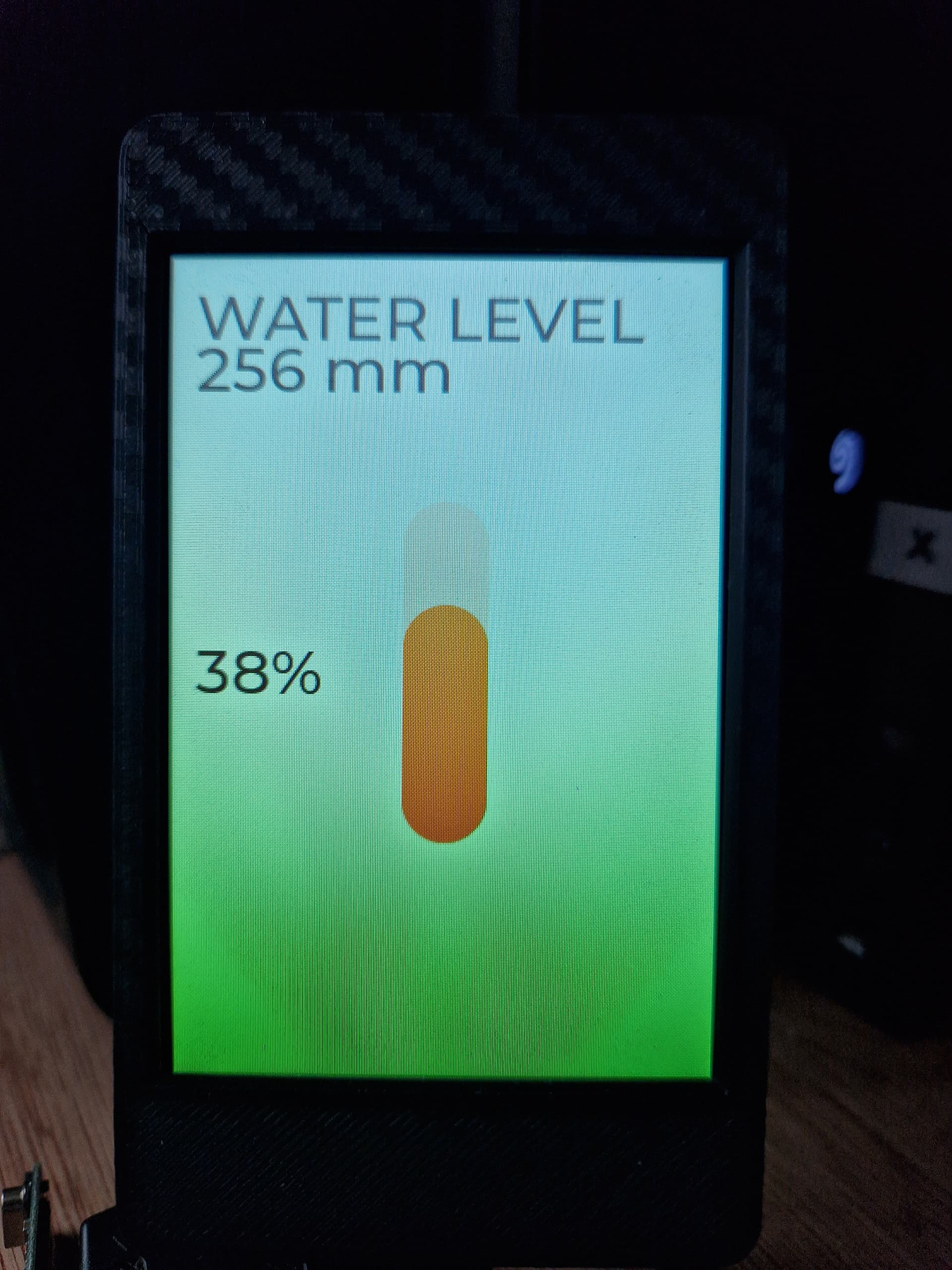
Picture of the CYD screen
Environment
- ESP32 CYD - E32N40T (non touchscreen):
- **LVGL version: 9.5.0 **`