Support for affordable STM32H743 "Core" Board (RGB LCD + Touch)

Hi everyone!

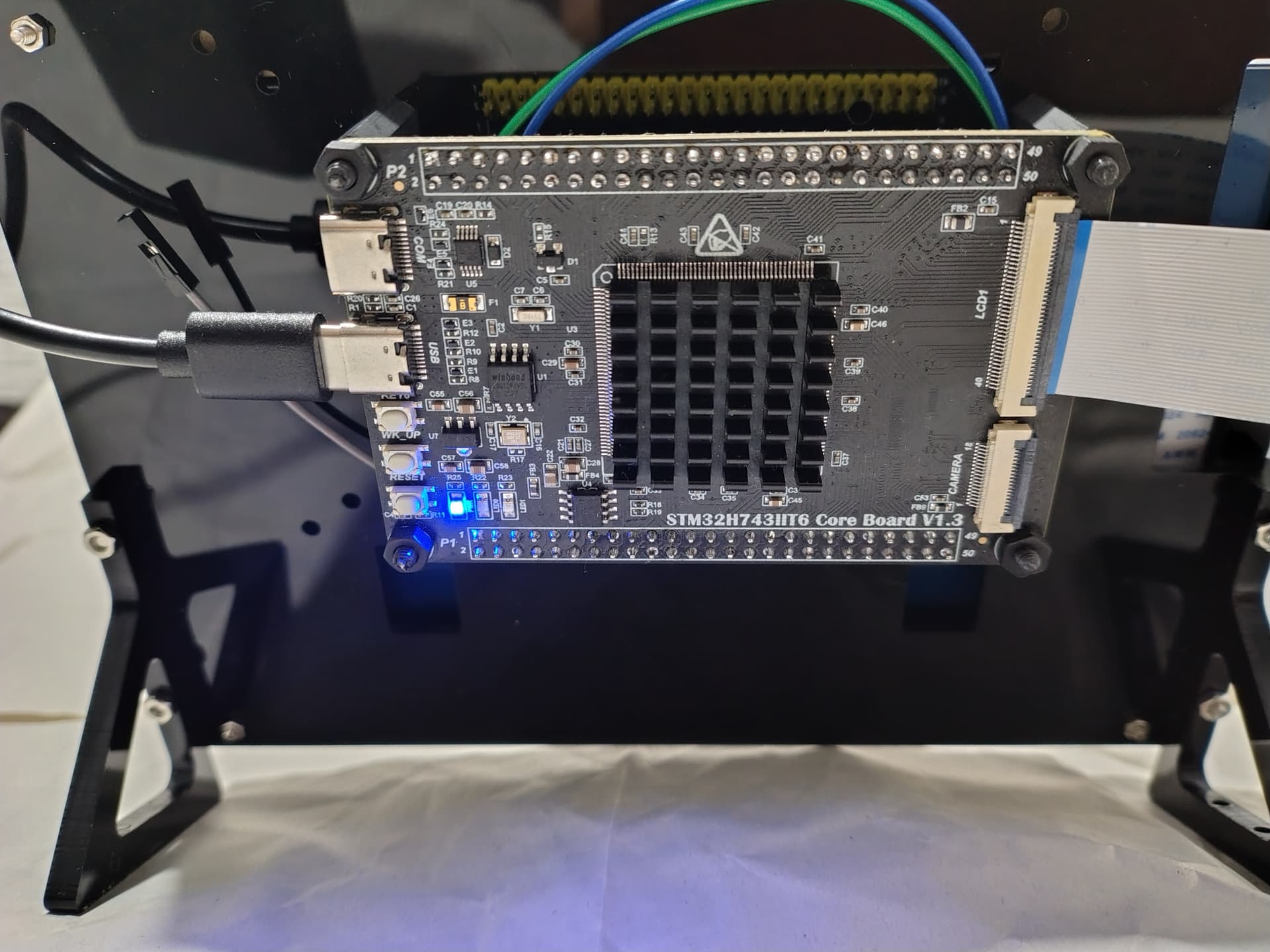
I wanted to share a project I’ve been working on: adding full MicroPython + LVGL support for the inexpensive STM32H743IIT6 “Core” board (often found on AliExpress/eBay).

This board is a beast for the price (approx. $60 including the screen), but it lacked a ready-to-use MicroPython port with high-performance display drivers. I decided to fix that to make this hardware accessible for Python developers.

:hammer_and_wrench: The Hardware (“Copper”)

  • Board: STM32H743IIT6 Core (supports V1.0, V1.1, and V1.3).
  • Specs: 480MHz, 32MB SDRAM, 8MB Flash.
  • Display: 4.3" / 5.0" / 7.0" LCD via RGB interface (LTDC).
  • Touch: Capacitive touch controller (I2C).

The Software (“Code”)

The challenging part was getting the display performance right. I implemented the drivers in Pure C within the MicroPython build:

  • Display Driver: Native STM32 LTDC (Layered High-End Graphics) support integrated into the binding.
  • Touch Driver: C-based driver for the capacitive panel.
  • Performance: It runs LVGL demos very smoothly thanks to the direct LTDC usage and SDRAM double buffering.
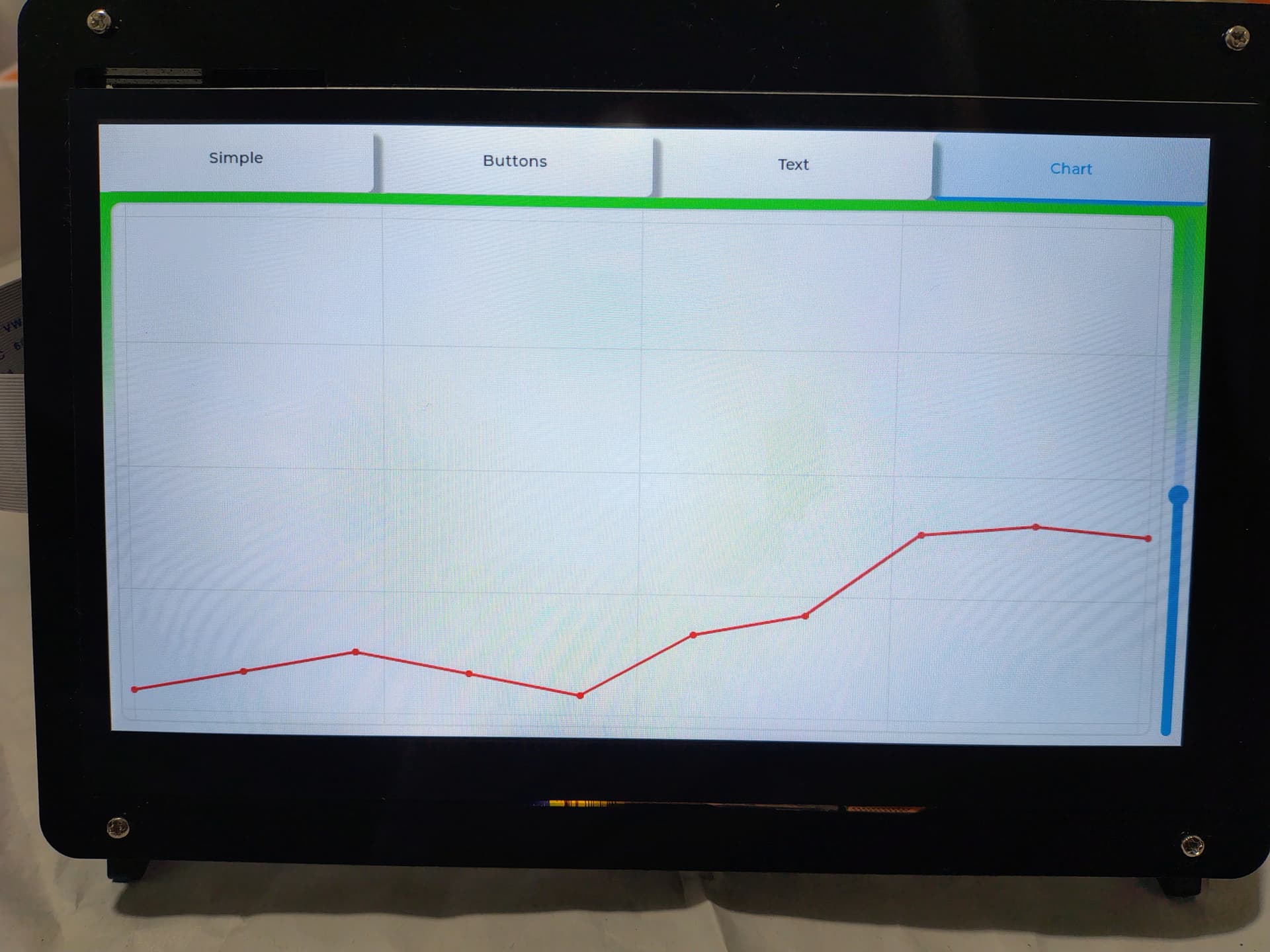
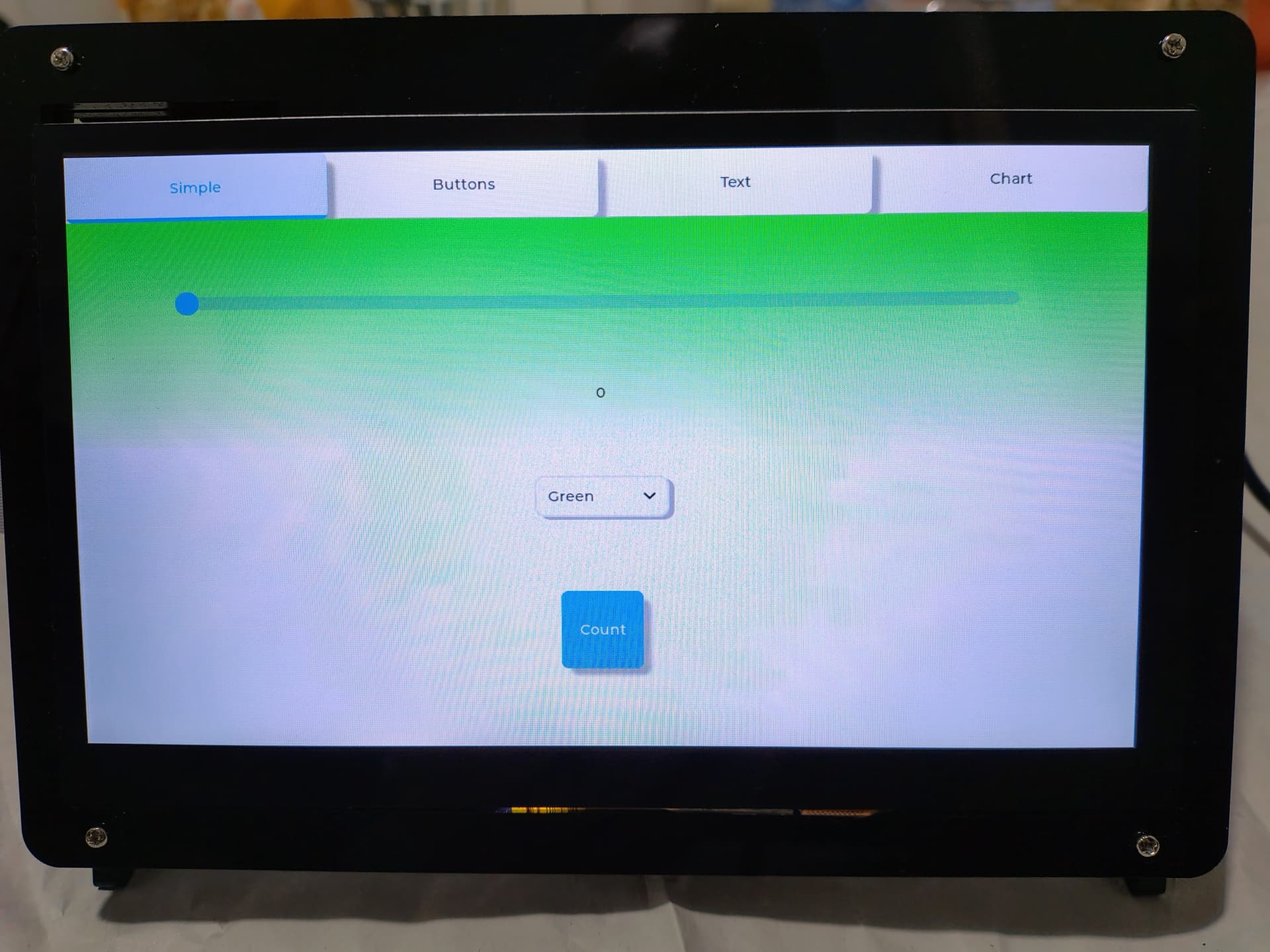
:open_file_folder: Source Code & Status

I am currently organizing the Pull Requests to get this merged into the official lv_micropython and binding repositories (discussion here).

I hope this helps anyone looking for a powerful, low-cost H7 platform for LVGL! Feedback is welcome.

5 Likes

Great job.

MicroPython + LVGL Porting for STM32H743

We are pleased to announce that the porting of MicroPython combined with the LVGL (Light and Versatile Graphics Library) for STM32H743 boards has been completed.

:books: Documentation

Documentation regarding the supported boards, pinouts, and setup instructions can be found at the following repository:
:point_right: STM32H7 Boards Documentation

:computer: Source Code Repositories

Waiting for the pull requests to be merged, you can access the source code here:

:rocket: Firmware Downloads

The compiled firmware files for all four supported boards are available within the first official release. You can download the binary files directly from this link:

:link: Download Firmware v1.20.0-2511


Developed by Copper & Code

3 Likes

Hi nuraci,

First of all, thank you for your work and for sharing support for these STM32H7 boards. This is a very valuable contribution for the community.

I’ve been going through the links shared in this thread, especially the “lv_micropython_code_and_tools” section from the release, but I’m not able to find any actual example code or a clear starting point for the STM32H743IIT6 Core Board V1.3.

From the forum post and release notes, it seems there should be sample code or a reference setup (LTDC + touch), but in that section I only see references without a concrete example or structured source files.

Could you please clarify:

  • Where exactly can I find a working example (or minimal project) for STM32H7 Core V1.3?
  • Is the example inside the main lv_micropython repository (for example under ports/stm32/boards or a specific branch)?
  • Or is there another repo/folder that contains the actual demo or reference implementation?

Any guidance on where to start would be very helpful.

Thanks again for your contribution.

Hi Zai-07,
Thank you very much for your kind words and appreciation of my work; it is a very valuable contribution to the community.

1

I plan to populate the “lv_micropython_code_and_tools” repository as soon as possible. In the meantime, you can check how the advanced_demo.py file has been modified in the following folder: https://github.com/Copper-And-Code/lv_binding_micropython/tree/master/examples.

Regards.

Here is the specific code for these boards.

def init_gui_stm32h7(self):
from machine import I2C, SoftI2C, Pin
from display_conf import board, panel
import st_ltdc
import touch_i2c
import lv_utils

    partial = False

    if lv.is_initialized():
        lv.deinit()
    lv.init()
    event_loop = lv_utils.event_loop(
        asynchronous=False, 
        exception_sink=None
    )
    # --- Display ---
    params = {
        "width":   panel.WIDTH,
        "height":  panel.HEIGHT,
        "hsync":   panel.HSYNC, "hbp": panel.HBP, "hfp": panel.HFP,
        "vsync":   panel.VSYNC, "vbp": panel.VBP, "vfp": panel.VFP,
        "fb_addr": getattr(board, 'FB_ADDR', 0xC0000000),
        "bl":      Pin(board.BL_PIN, Pin.OUT),
        "polarity": panel.POLARITY,
    }
    
    if hasattr(board, 'RST_PIN') and board.RST_PIN != "":
        params["rst"] = Pin(board.RST_PIN, Pin.OUT)
        
    disp = st_ltdc.LTDC(**params)   
    disp_drv = lv.display_create(panel.WIDTH, panel.HEIGHT)
    disp_drv.set_color_format(lv.COLOR_FORMAT.RGB888)
    disp.init(disp_drv)
    if partial:
        draw_buf1 = lv.draw_buf_create(panel.WIDTH, 50, lv.COLOR_FORMAT.RGB888, 0)
        draw_buf2 = lv.draw_buf_create(panel.WIDTH, 50, lv.COLOR_FORMAT.RGB888, 0)
        disp_drv.set_draw_buffers(draw_buf1, draw_buf2)
        disp_drv.set_render_mode(lv.DISPLAY_RENDER_MODE.PARTIAL)
    else:
        buf1 = disp.framebuffer(1)
        buf2 = disp.framebuffer(2)
        disp_drv.set_buffers(buf1, buf2, len(buf1), lv.DISPLAY_RENDER_MODE.DIRECT)
        
    disp_drv.set_flush_cb(disp.flush)
    
    # --- Touch ---
    tp_rst = Pin(board.TP_RST_PIN, Pin.OUT)
    tp_int = Pin(board.TP_INT_PIN, Pin.IN)
    
    if hasattr(board, 'TP_I2C_NUM') and board.TP_I2C_NUM > 0:
        tp_i2c = I2C(board.TP_I2C_NUM)
    else:
        tp_i2c = SoftI2C(scl=Pin(board.TP_SCL_PIN), 
                            sda=Pin(board.TP_SDA_PIN), 
                            freq=100000)
    touch = touch_i2c.TP(device=panel.TOUCH_TYPE, i2c=tp_i2c, tp_rst=tp_rst, tp_int=tp_int)
    indev = lv.indev_create()
    indev.set_type(lv.INDEV_TYPE.POINTER)
    indev.set_read_cb(touch.tp_read)

Hi nuraci,

I’m just starting out with Python, so I’m finding some things difficult to understand. I wanted to mention that my screen is 7 inches. I’ve tested it, and the touch sensor you’re using is different from the one on my screen; mine is an FT5446. Therefore, I imagine I should add a new library for it, but I’m a bit lost. My question is, in which section should I load the new touch sensor library?

Hi Zai-07,

Thank you for your interest and for sharing the details about your setup.

I perfectly understand that, since you are just starting out with Python, some aspects can be complex, especially the integration of low-level hardware drivers like the touch screen.

I see that you are using a 7-inch display; I can confirm that I also use displays of this size.

However, in order to provide you with more targeted support on your problem with the FT5446 and where to load the new library, it is crucial to know exactly which specific hardware you are using.

It would be very helpful if you could share the link or documentation for your display/board. It is important to understand how this hardware is connected to the STM32H743 (for example, which LTDC pins and peripheral interfaces have been mapped), as hardware configurations can vary significantly.

I look forward to the details so I can help you better.

Best regards.

Hello, here: lv_micropython_code_and_tools
first version of some micropython code.