Description
I use stm32 with ltdc, internal ram and only 1 buffer. In certain parts of the display, for example, where the value of a number or the position of a text is constantly changing, the display flickers white. For example, “lv_example_get_started_1” does not flicker.
Maybe it’s updating too fast and the flush is not correct.
What MCU/Processor/Board and compiler are you using?
Custom board.
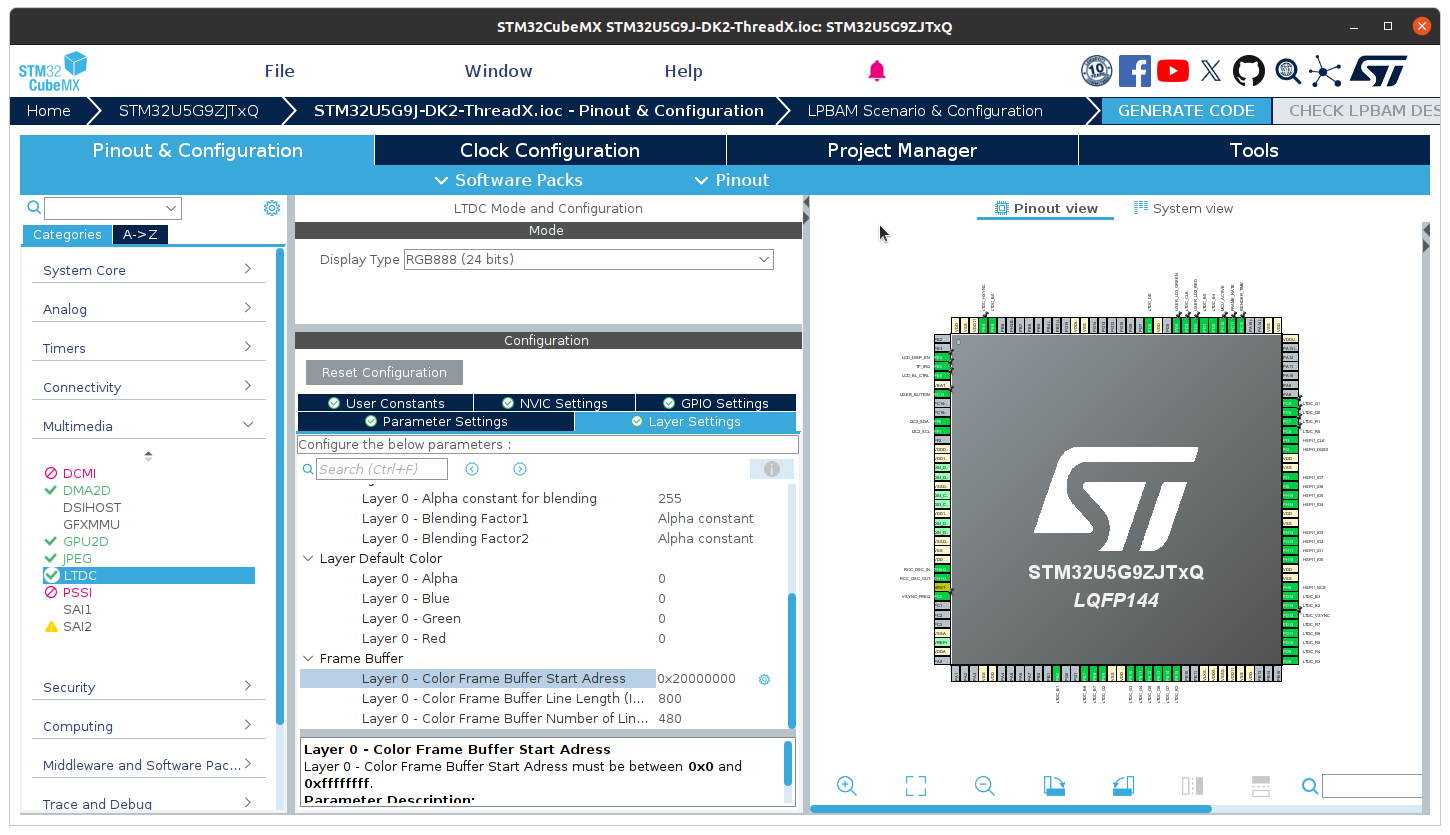
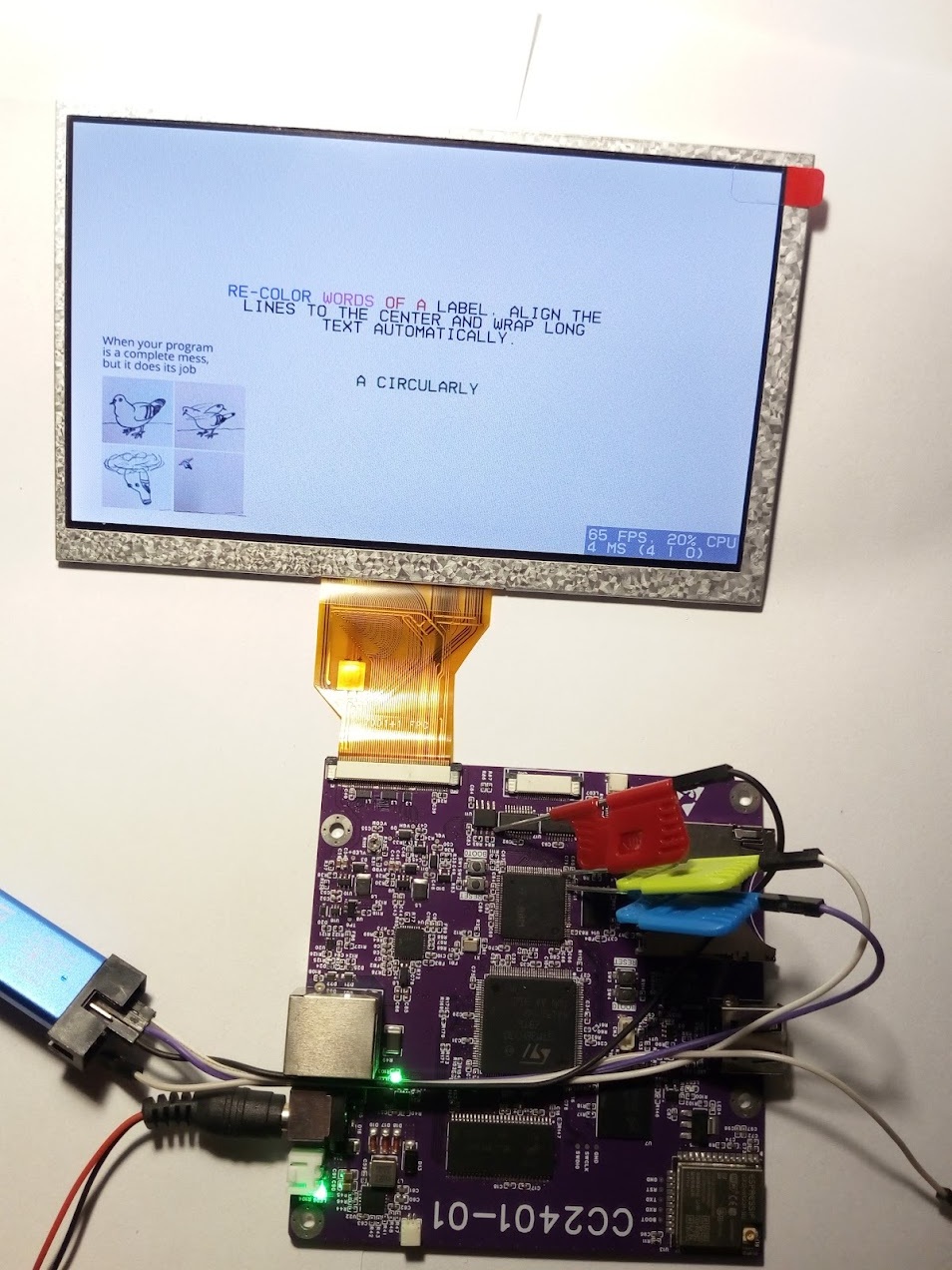
MCU: STM32H743VIT6 with LTDC/2Layer(L8 and RGB565)/without DMA2D
Display: 800x480 / parallel 16bit mode
Memory: Internal RAM(512KB)
What have you tried so far?
I tried the longer wait time. I tried to modify the flush, but I don’t fully understand it. The best result achieved so far is the application of a found program part, which in principle uses shadow register. This eliminated the flickering in the case of “lv_example_label_1”, but the problem remained in the case of “lv_example_arc_2”.
Code to reproduce
static void my_flush_cb(lv_display_t * display1, const lv_area_t * area,
uint8_t * px_map)
{
	uint8_t * buf8 = (uint8_t *)px_map;
	    int32_t x, y;
	    for(y = area->y1; y <= area->y2; y++) {
	        for(x = area->x1; x <= area->x2; x++) {
	            buf8++;
	        }
	    }
	lv_display_flush_ready(display1);
}
/////////////////////////////////////////
static  uint8_t draw_buffer[384000];
#define hor_res                    800
#define ver_res                    480
#define buffer_size         (hor_res * ver_res * 1)

lv_init();

lv_display_t * display1 = lv_display_create(hor_res, ver_res);

lv_display_set_buffers(display1, draw_buffer, NULL, buffer_size,
LV_DISPLAY_RENDER_MODE_DIRECT);

lv_display_set_flush_cb(display1, my_flush_cb);

///////////////////////////////////
while (1)
  {
    /* USER CODE END WHILE */

    /* USER CODE BEGIN 3 */

	 // HAL_Delay(5);

for(;;)
{
	  lv_timer_handler();

	  LTDC->SRCR = LTDC_SRCR_VBR;
	      while ((LTDC->CDSR & LTDC_CDSR_VSYNCS) == 0);

	      while ((LTDC->CDSR & LTDC_CDSR_VSYNCS) == 1);
	    }
No pictures or videos were taken, but I will take some if needed.
the flicker you are seeing is more than likely being caused by swapping out of the buffer that is being transmitted outside of a vertical refresh finishing.
When dealing with the LTDC transmit the data is being transferred without the CPU being involved (well for the most part). That means the application is allowed to continue to run. If you use LTDC ideally you want to use 2 frame buffers. One would be transmitting and the second one would be having data rendered to it. Timing is of utmost importance when switching the transmitting buffer with the buffer that was just rendered to. There is typically a callback function that is able to be registered when a vertical refresh has finished. A vertical refresh event means that the buffer that is transmitting has finished being transmitted and that is when you want swap the buffers (the pointers to the buffers)
I m not familiar with the STM32 SDK so I cannot tell you exactly what code needs to be run in order to get it done. The method for the most part is typical across all MCU manufacturers. With STM32’s it going to be a bit trickier because of how “thin” their SDK is which requires the user to write a lot more code to make things work properly.
OK so there are some issues I am seeing right out of the gate with your code.
The first problem is it looks like the type of display you are using has an RGB Bus type connection. That type of display has no internal GRAM so the frame buffer data but be entirely stored on the MCU. You do not have enough memory on the MCU you are using to support a display that has the resolution you are wanting to use.
it’s simple math. a display that is 800 x 480 and is connected using 16 lanes will typically be set to have a color depth of 16 bit (RGB565). That means that each pixel on the display requires 2 bytes of data. so you have a display that has 800 * 480 pixels and each pixel is 2 bytes so the buffer size needed is going to be 800 * 480 * 2 in size. That’s 768,000 bytes or 750k. Your MCU only has 512k of ram. So it’s not going to fit in the available memory on the MCU.
If you are using a display that has an I8080 bus attachment you have the ability to make the frame buffer a whole lot smaller because the display has ram built into it. That type of display would require you to set the memory address of where you want to write the frame buffer data to. I do not see any code in your flush function that handles writing the memory location to the display and also you have the render mode in LVGL set to direct. Those 2 things are what indicate to me you are using an RGB type display. This is not going to work properly with the MCU you have selected to use. STM32 MCU’s don’t come with large amount of RAM and they will usually have some form of external IC that gets attached to the MCU to provide additional memory.
Thank you for your quick help. I am aware of this part, I know that 2 buffers would be necessary.
I decided this way to save cost and space. I might redesign the board later.
The description left out that I’m using 8bpp, which means 800x480x1=384000bytes which still fits in the 512KB internal memory. I’m using RGB332 instead of L8. Simple display and 256 colors are enough for the project. Flicker was the problem…
The LTDC second layer remains in RGB565 format and mcu has external qspi flash, so I can store a lot of images in array format.
You might want to do a little bit of reading on how to use the STM32 LTDC driver that is built into LVGL…
https://docs.lvgl.io/9.3/details/integration/driver/display/st_ltdc.html
That should help maybe get your issue all sorted out.
I tried it but it didn’t work. The description is very incomplete. I don’t know if the ltdc setting is wrong or if I’m missing something. I tried to understand lv_st_ltdc.c / lv_st_ltdc.h, but I couldn’t figure it out. I get a black display.
//
#define LV_USE_ST_LTDC    1
//
static  uint8_t draw_buffer[384000];
lv_init();
void * my_ltdc_framebuffer_address = (void *)draw_buffer;
uint32_t my_ltdc_layer_index = 0; /* typically 0 or 1 */
lv_display_t * display1 = lv_st_ltdc_create_direct(my_ltdc_framebuffer_address,
	                                               NULL,
	                                               my_ltdc_layer_index);

lv_display_set_flush_cb(display1, my_flush_cb);
@kisvegabor
could you explain how to use the STM32 LTDC driver in LVGL. I am thinking that maybe the documentation on it might need a revisit to explain how to use it a little better.
The LTDC driver was implement by @liamHowatt. Liam, could you take a look at this issue?
Hey! The first parameter to lv_st_ltdc_create_direct should be the LTDC layer’s “Color Frame Buffer Start Address”. See here.
This memory should also be reserved in your linker script, too. See this and this.
The second parameter can be NULL, which you have. If you want double-buffering, pass your draw_buffer as the second parameter. I know it’s not very self-explanatory and the docs should be improved.
Fine , but you still not reply if create direct support one byte or beter L8. I mean LVGL this dont support, then better for @martonpetroczki is use TouchGFX
Thanks for the help. I have tried a lot, but for some reason it does not create the buffer.
The final solution is that I created a buffer with the existing settings and modified this:
//lv_st_ltdc.h
// lv_display_t * lv_st_ltdc_create_direct(void * fb_adr_1, void * fb_adr_2, uint32_t layer_idx);

lv_display_t * lv_st_ltdc_create_direct(void * render_buf_1, void * fb_adr_2, uint32_t layer_idx);


//lv_st_ltdc.c
//lv_display_t * lv_st_ltdc_create_direct(void * fb_adr_1, void * fb_adr_2, uint32_t layer_idx)
//{ return create(fb_adr_1, fb_adr_2, 0, layer_idx, LV_DISPLAY_RENDER_MODE_DIRECT);}

lv_display_t * lv_st_ltdc_create_direct(void * render_buf_1, void * fb_adr_2, uint32_t layer_idx)
{
    return create(render_buf_1, fb_adr_2, 0, layer_idx, LV_DISPLAY_RENDER_MODE_DIRECT);
}
///////////////////
static  uint8_t draw_buffer[384000];
lv_display_t * display1 = lv_st_ltdc_create_direct(draw_buffer, NULL, 0);
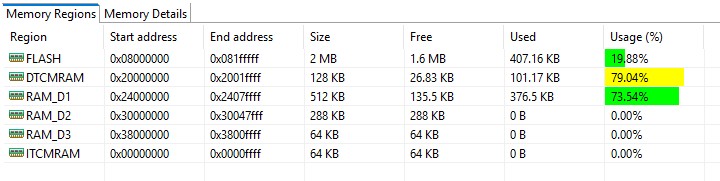
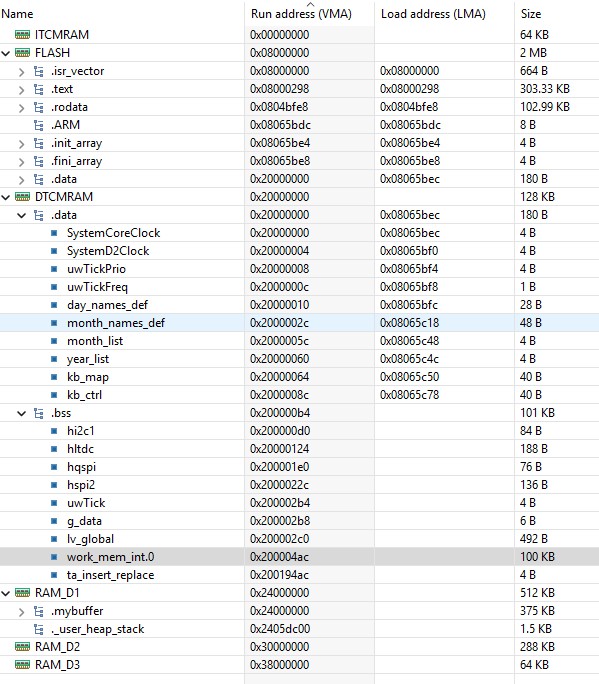
So now lvgl works, but the mentioned problem remains. I checked the script and the memory area, by default, everything is stored in RAM_D1. DTCMRAM was completely unused, it’s much faster, so now everything goes there and the buffer has been moved separately to RAM_D1. The flickering still remained.
I made a video to illustrate the problem. VIDEO 1
  while (1)
 {
	  lv_timer_handler();
}
///
///
///
This is the other solution, most examples work without problems. “lv_example_arc_2” and “lv_example_spinner_1” are not good. VIDEO 2
  while (1)
  {
for(;;)
{
	  lv_timer_handler();

	  LTDC->SRCR = LTDC_SRCR_VBR;                      // reload shadow registers on vertical blanking period
	      while ((LTDC->CDSR & LTDC_CDSR_VSYNCS) == 0);     // wait for next frame

	      while ((LTDC->CDSR & LTDC_CDSR_VSYNCS) == 1);
	    }
I think I’ll let it go, I don’t want to deal with it anymore because it’s just taking up my time and it’s not my usual way of using it anyway. Thanks for the help everyone.
What it looks like to me is tearing. The code block that corrects it looks like it is checking the register to see if it’s between vsync events which would be a good reason as to why the tearing is not occurring. It’s because you are performing a stall so the buffer gets written to the LTDC between redraws of the display.