Howdy!
What do you want to achieve?
I am using a Raspberry Pi 4 running the latest Raspberry Pi OS - Trixie 13.2.
I would like to to learn how to use LVGL to make nice displays for my RPi projects. It would be great to get one of the examples (just a screen with the text Hello World displayed) working. I would obviously build from there into something a bit more complex using something like SquareLine to make the building easier.
I am using a 5in LCD display connected to the MIPI DSI port on my Pi. I plan to use FBDEV for my project but am open to other suggestions. I am remoting into my RPi using SSH through VS Code.
What have you tried so far?
I have downloaded the latest version of LVGL into a project folder. I copied the lv_conf_template.h file out of my lvgl folder and renamed it to lv_conf.h. I edited the lv_conf.h file to match my needs.
I copied the example code into a main.c file and attempted to compile this as follows gcc main.c -o main
Code to reproduce
The code is from the examples on the LVGL website
#include <lvgl/lvgl.h>
#include <stdio.h>

int main()
{
    printf("Hello :)\n");

    /*Change the active screen's background color*/
    lv_obj_set_style_bg_color(lv_screen_active(), lv_color_hex(0x003a57), LV_PART_MAIN);

    /*Create a white label, set its text and align it to the center*/
    lv_obj_t * label = lv_label_create(lv_screen_active());
    lv_label_set_text(label, "Hello world");
    lv_obj_set_style_text_color(lv_screen_active(), lv_color_hex(0xffffff), LV_PART_MAIN);
    lv_obj_align(label, LV_ALIGN_CENTER, 0, 0);

}
My real issue is that this wont compile properly. I keep getting the error:
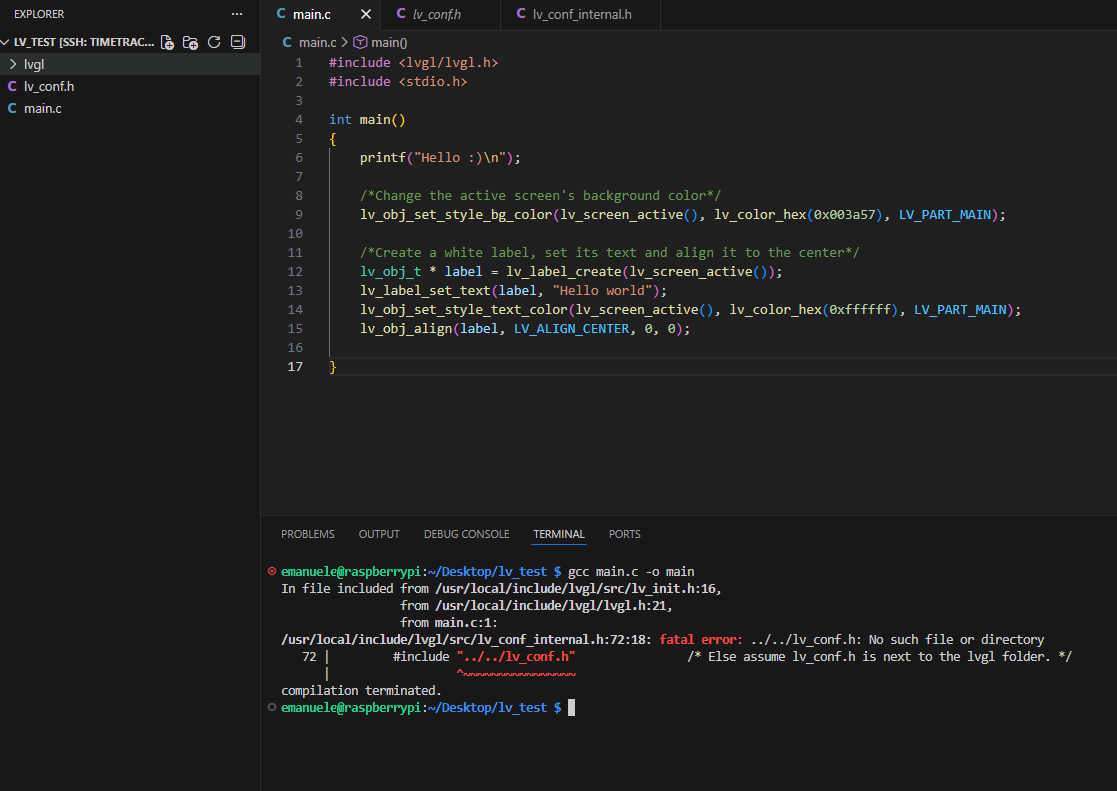
/usr/local/include/lvgl/src/lv_conf_internal.h:72:18: fatal error: ../../lv_conf.h: No such file or directory
   72 |         #include "../../lv_conf.h"                /* Else assume lv_conf.h is next to the lvgl folder. */
      |                  ^~~~~~~~~~~~~~~~~
compilation terminated.
Screenshot and/or video
Here is a pic of my IDE with the relevant information mentioned above.
Environment
- MCU/MPU/Board: Raspberry Pi 4 running the latest Raspberry Pi OS - Trixie 13.2
- LVGL version: 9.5
Hope to hear back soon. Thank you!
Best,
Emi