What do you want to achieve?
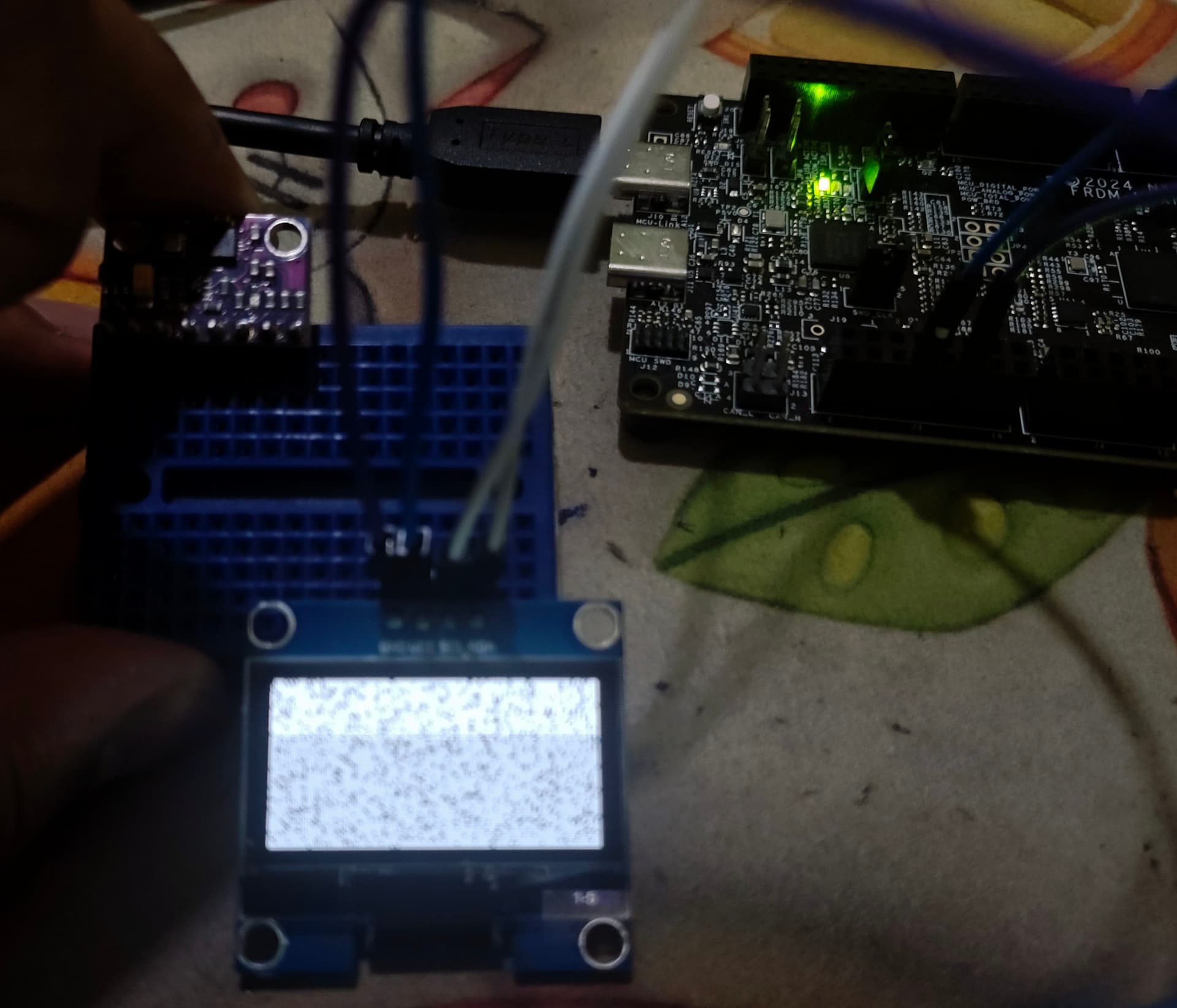
I want to display some text on my 1.3" I2C OLED screen (SH1106) using Zephyr RTOS on NXP’s FRDM-MCXN236.
What have you tried so far?
I have tried the basic text display example
Code to reproduce
prj.conf
# System and Logging (Turned up to DEBUG level)
CONFIG_LOG=y
CONFIG_LOG_DEFAULT_LEVEL=4

# Massive Memory to prevent early-boot Stack Overflows
CONFIG_MAIN_STACK_SIZE=8192
CONFIG_SYSTEM_WORKQUEUE_STACK_SIZE=4096
CONFIG_HEAP_MEM_POOL_SIZE=32768

# I2C and Display Driver
CONFIG_I2C=y
CONFIG_DISPLAY=y
CONFIG_SSD1306=y
CONFIG_CHARACTER_FRAMEBUFFER=n

# LVGL Subsystem
CONFIG_LVGL=y

# The Monochrome Magic Math
CONFIG_LV_COLOR_DEPTH_1=y
CONFIG_LV_Z_BITS_PER_PIXEL=1
CONFIG_LV_Z_MEM_POOL_SIZE=16384
main.c
#include <zephyr/kernel.h>
#include <zephyr/device.h>
#include <zephyr/drivers/display.h>
#include <zephyr/logging/log.h>
#include <lvgl.h>

LOG_MODULE_REGISTER(lvgl_debug, LOG_LEVEL_DBG);

int main(void)
{
    LOG_INF("Starting LVGL Init...");

    const struct device *display_dev = DEVICE_DT_GET(DT_CHOSEN(zephyr_display));
    if (!device_is_ready(display_dev)) {
        LOG_ERR("HARDWARE FAULT: Display not ready! (Did you unplug the USB cable?)");
        return -1;
    }

    display_blanking_off(display_dev);

    /* Safely check if LVGL successfully created a display buffer in the background */
    if (lv_disp_get_default() == NULL) {
        LOG_ERR("SOFTWARE FAULT: LVGL initialized, but failed to bind to the OLED.");
        return -1;
    }

    /* Grab the screen safely */
    lv_obj_t *scr = lv_scr_act();

    /* Force high-contrast colors for monochrome */
    lv_obj_set_style_bg_color(scr, lv_color_black(), LV_PART_MAIN);
    lv_obj_set_style_text_color(scr, lv_color_white(), LV_PART_MAIN);

    lv_obj_t *label1 = lv_label_create(scr);
    lv_label_set_text(label1, "LVGL SUCCESS!");
    lv_obj_align(label1, LV_ALIGN_CENTER, 0, -10);

    lv_obj_t *label2 = lv_label_create(scr);
    lv_label_set_text(label2, "OLED Running");
    lv_obj_align(label2, LV_ALIGN_CENTER, 0, 10);

    while (1) {
        lv_task_handler();
        k_msleep(10);
    }

    return 0;
}
Screenshot and/or video
Environment
- MCU/MPU/Board: FRDM-MCXN236
- LVGL version: v9.5.0
