Good morning.
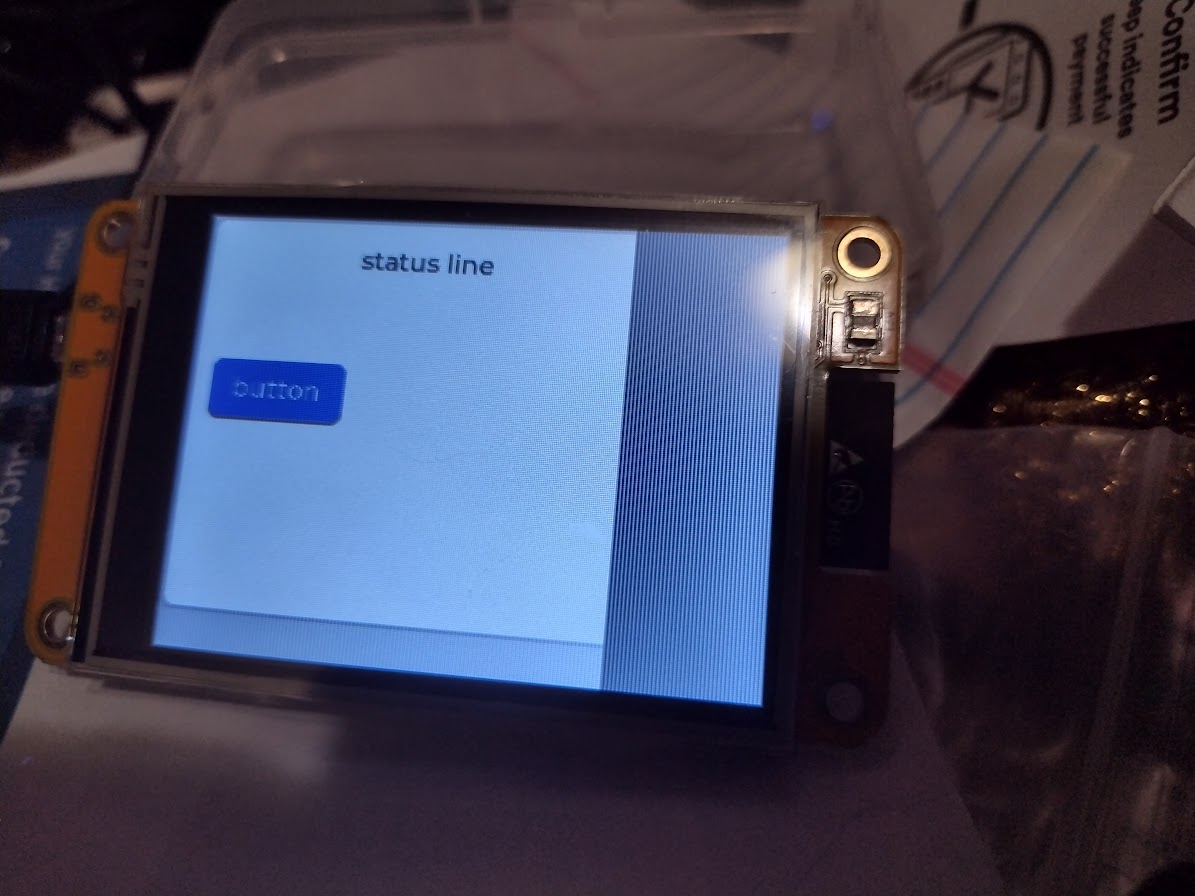
I’m trying to create a project on a CYD clone. Can anyone offer any clues what the issue is?
I believe the code to create a 3x3 grid is correct but the display settings seem to be wrong.
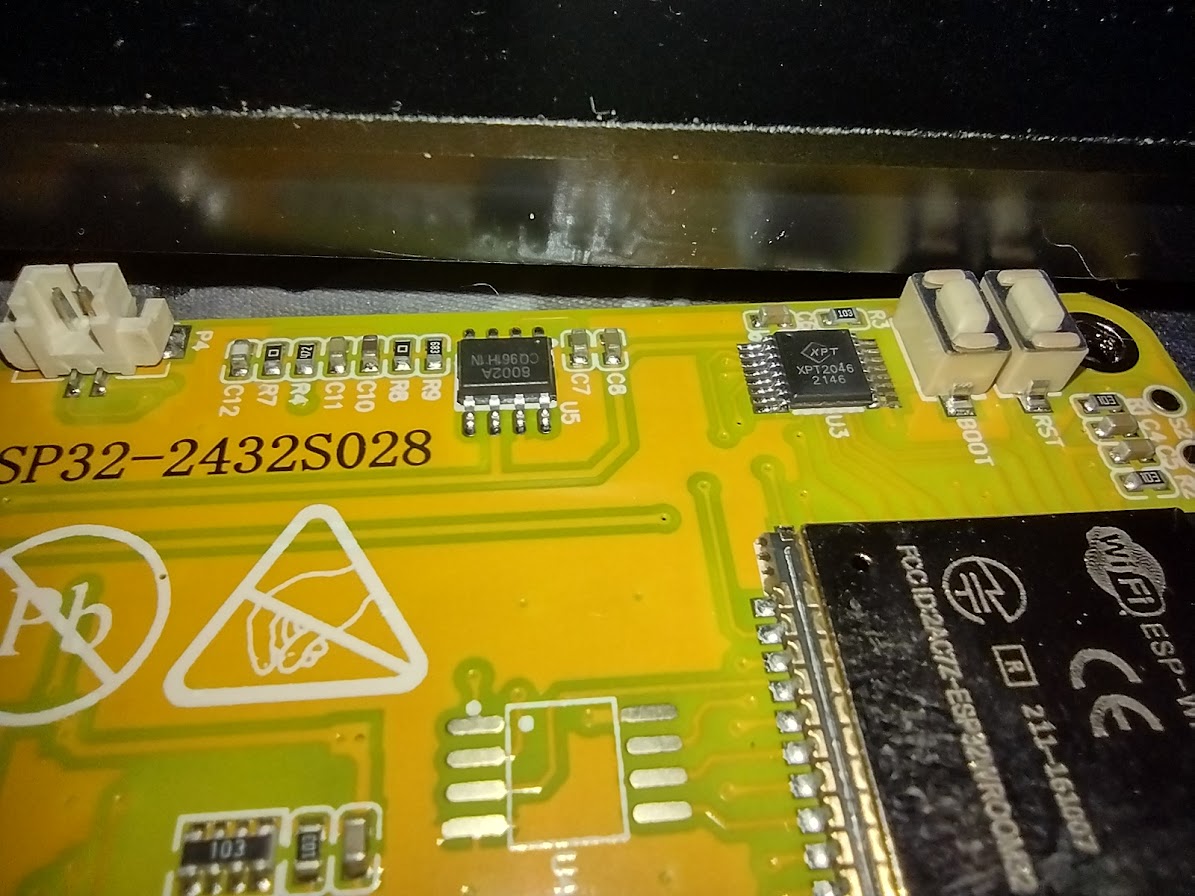
Is there any way to verify the chipset and resolution of the display without taking it apart.
I’ve got a macro image showing the xpt2046 but nothing that looks like a graphics controller
is on the visible side of the board. I’m not sure on a resistive touch screen that the resolution
of the touch screen has anything to do with the resolution of the tft display underneath it.
My config file is from Random Nerd Tutorials. I’m using vs code and platform.io
Description
Display is offset
What MCU/Processor/Board and compiler are you using?
esp32 CYD
link to board sales page LINK
What do you want to achieve?
eliminate offset. World peace. Infinite energy. Immortality.
What have you tried so far?
Reviewed code against docs. Tried different resolution settings. I assume “horizontal” is the board long dimension.
Code to reproduce
Add the relevant code snippets here.
The code block(s) should be between ```c and ``` tags:
  // create grid layout
  // enabled in lv_conf.h
  static int32_t col_dsc[] = {70, 70, 70, LV_GRID_TEMPLATE_LAST};
  static int32_t row_dsc[] = {50, 50, 50, LV_GRID_TEMPLATE_LAST};

  /*Create a container with grid*/
  lv_obj_t *cont = lv_obj_create(lv_screen_active());
  lv_obj_set_style_grid_column_dsc_array(cont, col_dsc, 0);
  lv_obj_set_style_grid_row_dsc_array(cont, row_dsc, 0);
  lv_obj_set_size(cont, 300, 220);
  //  lv_obj_center(cont);
  lv_obj_set_layout(cont, LV_LAYOUT_GRID);

  int col = 0;
  int row = 0;

  /* first row spans all 3 columns */
  {
    lv_obj_t *label = lv_label_create(cont);
    lv_obj_set_grid_cell(label, LV_GRID_ALIGN_CENTER, col, 3, LV_GRID_ALIGN_STRETCH, row, 1);
    lv_label_set_text_fmt(label, "status line");
    lv_obj_center(label);
  }

  // second row
  row++;
  {
    lv_obj_t *button = lv_button_create(cont);
    lv_obj_set_grid_cell(button, LV_GRID_ALIGN_CENTER, col, 1, LV_GRID_ALIGN_CENTER, row, 1);
    lv_obj_t *label = lv_label_create(button);
    lv_label_set_text_fmt(label, "button");
    lv_obj_center(label);
  }
Screenshot and/or video
If possible, add screenshots and/or videos about the current state.