Hi,
I’m newbie here it’s my firt thread. Greetings for all ppl here.
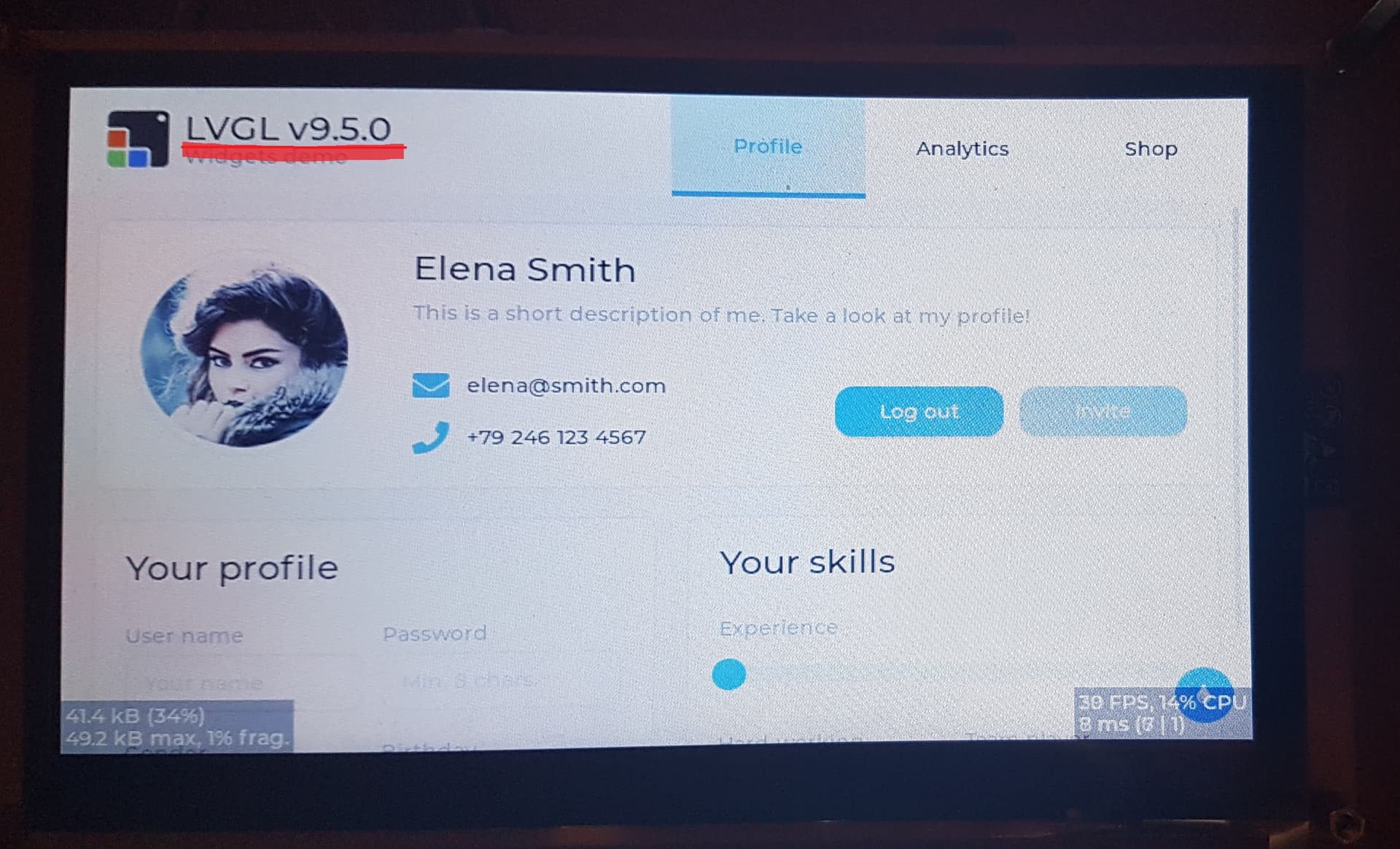
A lot of work and less sleep night took me how running newes LVGL v9.5.0 especially on the ESP32-S3 and on the HMI panel with paralel RGB interface. The subject touch platformIO plugin for VSCODE. Creators of LVGL did fantastic port for the VIEWE 7 inch panel. By kisvegabor and fbiego.
https://github.com/lvgl/lv_port_viewe_7_espidf
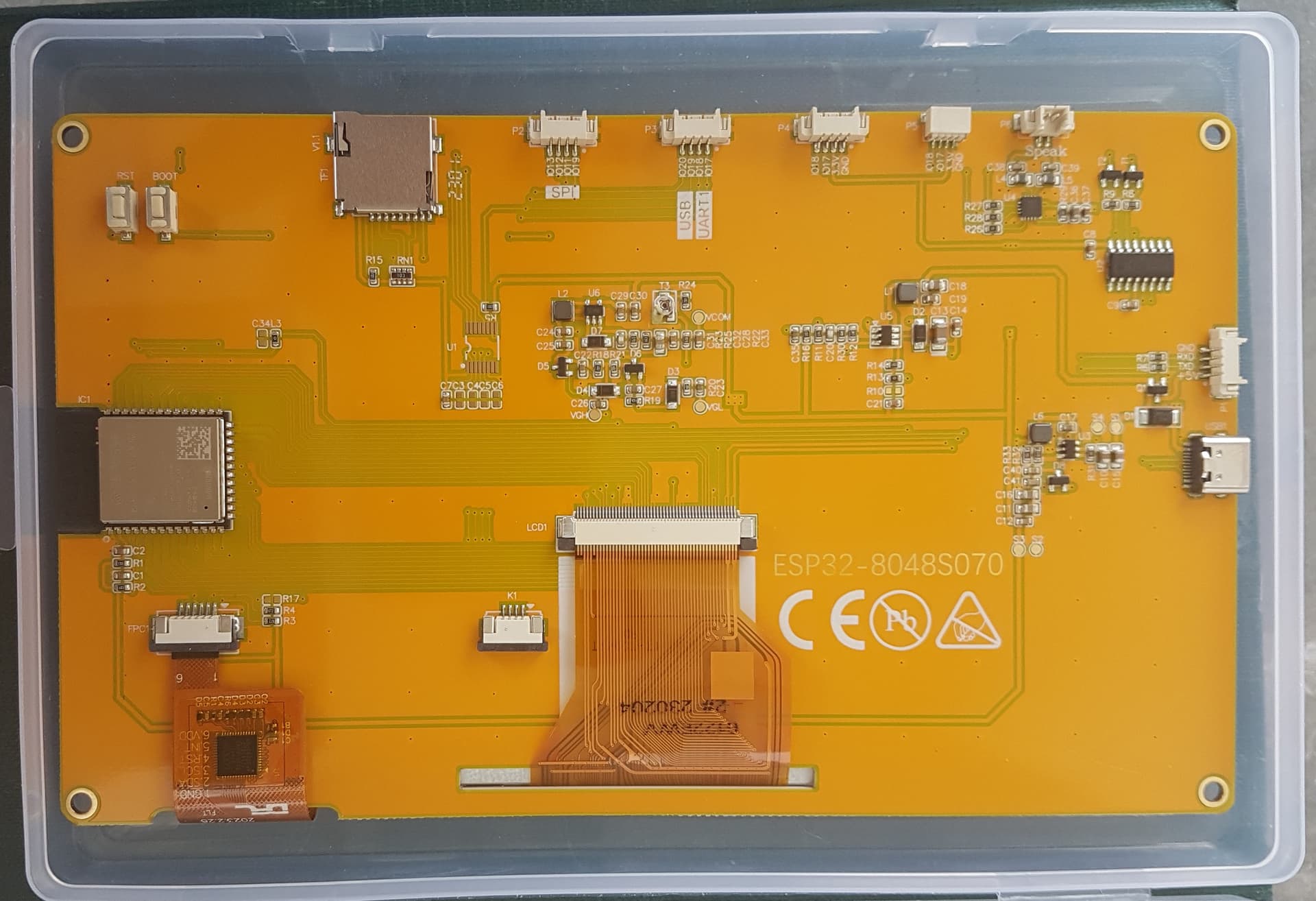
I have also SUNTON ESP32-8048S070 panel (and many others) which is a bit similar. Additionally the Creators did this port on the ESP-IDF framework, what really is the most strong solution, bcos this is framework supported by ESP32-S3 producer, and here is very good suport and API for work with ESP32-S3. I’m not a big familiar with ESP-IDF and with ESP32 I’m work with PlatformIO flow.
The first problem arise a new API to run and setup LVGL V9.5 which is not working with LVGL8.3.11 interface, which I used before. And I finding here threads called: „[Display flush callback and convertsion v8.4.0 to v9.5.0]”
https://forum.lvgl.io/t/display-flush-callback-and-convertsion-v8-4-0-to-v9-5-0/23671/3
… where I met code post from fbiego . @fbiego thanks a lot for this:
//In V9
static void my_disp_flush(lv_disp_t *disp, const lv_area_t *area, uint8_t *pxmap)
{
    uint32_t w = (area->x2 - area->x1 + 1);
    uint32_t h = (area->y2 - area->x1 + 1);

#if (LV_COLOR_16_SWAP != 0)
    gfx->draw16bitBeRGBBitmap(area->x1, area->y1, (uint16_t *)pxmap, w, h);
#else
    gfx->draw16bitRGBBitmap(area->x1, area->y1, (uint16_t *)pxmap, w, h);
#endif
    lv_disp_flush_ready(disp);
}
Second problem arised when I tried run LVGL demos where all the time linker complained „undefined reference lv_demo_benchmark” and after many tries of figure out this why this eroor exists I undersood it’s a bug of PlatformIO which don’t compile files from demos folder.
I found this fantastic website :
https://docs.lvgl.io/9.5/integration/frameworks/platformio.html
and this:
build_src_filter =
    +<*>
    ; Force compile LVGL demos and examples, remove when working on your own project
    +<../.pio/libdeps/${PIOENV}/lvgl/demos>
    +<../.pio/libdeps/${PIOENV}/lvgl/examples>
And this as well:
#include <Arduino.h>
#include <lvgl.h>

#define BUF_SIZE 320 * 50
uint8_t lv_buffer[BUF_SIZE];

/* Tick source, tell LVGL how much time (milliseconds) has passed */
static uint32_t my_tick(void)
{
    return millis();
}

void setup() {

    /* Initialize LVGL */
    lv_init();
    /* Set the tick callback */
    lv_tick_set_cb(my_tick);
    /* Initialize the display driver */
    lv_lovyan_gfx_create(320, 480, lv_buffer, BUF_SIZE, true);

    lv_obj_t *label = lv_label_create(lv_screen_active());
    lv_label_set_text(label, "Hello PlatformIO, I'm LVGL!");
    lv_obj_align(label, LV_ALIGN_CENTER, 0, 0 );

}

void loop() {
    lv_timer_handler(); // Update the UI-
    delay(5);
}
Also I must say chat GPT help me with historic changes in LVGL init.
Porting this was a truly bloody journey.
And after successfully compiling it, I saw erroneous artifacts on the screen. Where I saw that the ESP-IDF version worked flawlessly. So I knew something was still wrong.
And that was probably the worst problem. My friend Proteus helped me solve this problem.
The problem was that the LCD bus speed was too fast. To fix it, I had to change the H and V timings. And also lowered the bus speed from 16 to 13.5 MHz. If it weren’t for Proteus, I probably never would have figured this out.
Below I put the platformio.ini file and crucial code:
; PlatformIO Project Configuration File
;
;   Build options: build flags, source filter
;   Upload options: custom upload port, speed and extra flags
;   Library options: dependencies, extra library storages
;   Advanced options: extra scripting
;
; Please visit documentation for the other options and examples
; https://docs.platformio.org/page/projectconf.html

[env:esp32s3dev]
platform = espressif32
board = esp32-s3-devkitc-1
framework = arduino
monitor_speed = 115200
monitor_raw = yes
build_src_filter =
    +<*>
    ; Force compile LVGL demos and examples, remove when working on your own project
    +<../.pio/libdeps/${PIOENV}/lvgl/demos>
    +<../.pio/libdeps/${PIOENV}/lvgl/examples>
build_flags =
             -DBOARD_HAS_PSRAM
             -mfix-esp32-psram-cache-issue
             -DLV_USE_DEMO_WIDGETS

board_build.arduino.memory_type = qio_opi
board_build.f_flash = 80000000L
board_build.flash_mode = qio
board_upload.flash_size = 16MB
board_build.partitions = default_16mb.csv
lib_deps = lvgl/lvgl@^9.5.0
7inch_board.h file:
#ifndef _ARDUINO_GFX_LIBRARIES_H_
#define _ARDUINO_GFX_LIBRARIES_H_
#include "Arduino.h"
#include "Arduino_DataBus.h"
#include "databus/Arduino_ESP32RGBPanel.h"
#include "display/Arduino_RPi_DPI_RGBPanel.h"
#include "Arduino_GFX.h"

#include <lvgl.h>
#include <demos/lv_demos.h>
// #include "font/u8g2.h"

#if !defined(LITTLE_FOOT_PRINT)
#include "canvas/Arduino_Canvas.h"
#include "canvas/Arduino_Canvas_Indexed.h"
#include "canvas/Arduino_Canvas_3bit.h"
#include "canvas/Arduino_Canvas_Mono.h"
#endif // !defined(LITTLE_FOOT_PRINT)

#define TFT_BL 2
static const uint16_t screenWidth = 800;
static const uint16_t screenHeight = 480;
static uint32_t buf_size = 800 * 480 * 2; // 800 * 480 * 2 / 10

/*
 * Touch support ( added by Proteus )
 */
#include "TAMC_GT911.h"
//---
static const char green_scr[] = {"\033[92m"};
//---

TAMC_GT911 Touch = TAMC_GT911(TOUCH_SDA, TOUCH_SCL, TOUCH_INT, TOUCH_RST, TOUCH_WIDTH, TOUCH_HEIGHT);

/*End Touch support */

Arduino_ESP32RGBPanel *bus = new Arduino_ESP32RGBPanel(
    GFX_NOT_DEFINED /* CS */,
    GFX_NOT_DEFINED /* SCK */,
    GFX_NOT_DEFINED /* SDA */,
    41 /* DE */,
    40 /* VSYNC */,
    39 /* HSYNC */,
    42 /* PCLK */,
    14 /* R0 */,
    21 /* R1 */,
    47 /* R2 */,
    48 /* R3 */,
    45 /* R4 */,
    9 /* G0 */,
    46 /* G1 */,
    3 /* G2 */,
    8 /* G3 */,
    16 /* G4 */,
    1 /* G5 */,
    15 /* B0 */,
    7 /* B1 */,
    6 /* B2 */,
    5 /* B3 */,
    4 /* B4 */
);
Arduino_RPi_DPI_RGBPanel *Screen = new Arduino_RPi_DPI_RGBPanel(
    bus,
    800 /* width */,
    0 /* hsync_polarity */,
    88 /* hsync_front_porch */,
    48 /* hsync_pulse_width */,
    40 /* hsync_back_porch */,
    480 /* height */,
    0 /* vsync_polarity */,
    30 /* vsync_front_porch */,
    6 /* vsync_pulse_width */,
    26 /* vsync_back_porch */,
    1 /* pclk_active_neg */,
    13500000 /* prefer_speed */,
    true /* auto_flush */);
//===============================================================================================================================================
static uint32_t my_tick_cb(void)
{
  return millis();
}
/* Display flushing */
void my_disp_flush(lv_display_t *display, const lv_area_t *area, uint8_t *data)
{

  uint32_t w = lv_area_get_width(area);
  uint32_t h = lv_area_get_height(area);

  Screen->draw16bitRGBBitmap(area->x1, area->y1, (uint16_t *)data, w, h);
  lv_display_flush_ready(display);
}

/*Read the touchpad*/
void my_touchpad_read(lv_indev_t *indev_driver, lv_indev_data_t *data)
{
  if (Touch.touch_has_signal())
  {
    if (Touch.touch_touched())
    {
      data->state = LV_INDEV_STATE_PR;
      data->point.x = Touch.touch_last_x;
      data->point.y = Touch.touch_last_y;
      // Serial.printf("pressed : X = %d  Y = %d\n\r", data->point.x, data->point.y);
    }

    else if (Touch.touch_released())
    {
      data->state = LV_INDEV_STATE_REL;
    }
  }
  else
  {
    data->state = LV_INDEV_STATE_REL;
  }
}


/**
 * Inicjalizacja ekranu oraz dotyku.
 *
 * @param screenON Czy ekran ma być włączony przy starcie.
 * @param backlight jasność podświetlenia 0-255.
 *
 * @note inicjalizuje obiekty [Screen] [Touch] orav [LVGL]
 */
void BoardInit(bool screenON, uint8_t bakcligth)
{

  Screen->begin();
  Screen->displayOff();
  if (screenON)
  {
    Screen->displayOn();
    Screen->setBackLight(60);
  }
  uint32_t FRAME_BUFFER = (uint32_t)Screen->getFramebuffer();

  Touch.begin();
  Touch.setRotation(1);
  Serial.begin(115200);
  Serial.print(green_scr);

  lv_init();
  lv_tick_set_cb(my_tick_cb);

  static lv_display_t *disp = lv_display_create(screenWidth, screenHeight);
  lv_display_set_flush_cb(disp, my_disp_flush);

  lv_color_t *buf1 = NULL;
  lv_color_t *buf2 = NULL;

  buf1 = (lv_color_t *)ps_malloc((size_t)buf_size);

  if (buf1 == NULL)
  {
    Serial.print("buf1 not initialized !!!\n\r");
    return;
  }
  Serial.printf("buf1  initialized successfully at : 0x%08X length : 0x%08X\n\r", buf1, buf_size);

  buf2 = (lv_color_t *)ps_malloc((size_t)buf_size);
  if (buf2 == NULL)
  {
    Serial.print("buf2 not initialized !!!\n\r");
    return;
  }
  Serial.printf("buf2  initialized successfully at : 0x%08X length : 0x%08X\n\r", buf2, buf_size);

  // LV_DISPLAY_RENDER_MODE_PARTIAL
  lv_display_set_buffers(disp, buf1, buf2, buf_size, LV_DISPLAY_RENDER_MODE_PARTIAL);

  /*Initialize the display*/
  lv_indev_t *indev = lv_indev_create();
  lv_indev_set_type(indev, LV_INDEV_TYPE_POINTER);
  lv_indev_set_read_cb(indev, my_touchpad_read);

  lv_demo_benchmark();
  // lv_demo_widgets();
}

#endif // _ARDUINO_GFX_LIBRARIES_H_
You can download the working program from my github. It can be used as a basis for porting this to other parallel or serial display systems. For example, CrowPanel, VIEWE displays. These panels are similar, most often you just need to change the pin mapping.
Enjoy.