How to make lvgl pro editor to export code in separate folder instead of parents folders of files
for example if we convert images the source file is generate and its inside image folder
i want separate folder like eezstudio or squareline studio give a ui folder you can copy paste with only c file and headers
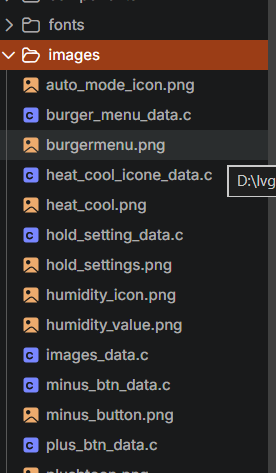
At the moment, you can try putting the original .png files inside a folder
i made same ui in eez studio and it works while same ui made in lvgl pro editor does not works
Why doesn’t it work? What was the problem?
Its very subtle bug that lvgl pro ui editor will render the screen functional even when the the object name and callback have same name but the hardware will not be able to differentiate between pointer and go into hardfault
Thank you for pointing it out! I’ll fix the validator ASAP to show warning about duplications.
one thing more how to have object have a parent object in ui editor pro
In XML, simply define the child object inside its parent:
<lv_obj>
    <lv_label text="Child" />
</lv_obj>
In Design Mode, you can also drag the object onto another object in the Navigator panel to make it a child.
Sorry I must rephrase my question
I have a subscreen which is part of main screen
the subscreen is draw over specific area inside main screen
now different screens are applied on subscreen based on user interaction with buttons
for e.g fan button open fan quick menu on subscreen
now to manage that i wanted subscreen to parent and fan quick screen to be child
@isfandcielo
Do you mean creating dialogs/popups over a screen?

The shown example is from this project