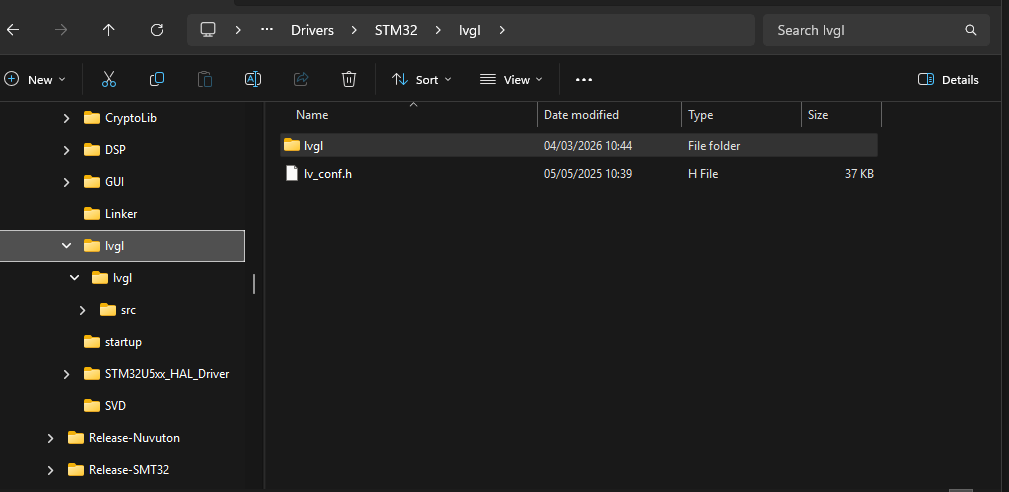
This is what i usually do, to use LVGL in an STM32 project (not using STM32CubeIDE but is using vanilla Eclipse with https://eclipse-embed-cdt.github.io/. Transitioning to VsCode “CMake” at the moment…
-
Create a Folder named
lvgland a subfolder namedlvgl. -
Copy the
lv_conf_template.hto the root of the firstlvglfolder and rename tolv_conf.hlv_conf.hneeds to be on subfolder where lvgl source is located…
-
Change the
#ifin line 15 to1to enable the configuration, and adjust the rest as needed based on hardware / Display -
Inside the Subdirectory
lvgl, for my uses cases i just use thesrcfolder and the*.hfiles on LVGL source root, but you can have the rest, just delete thetestsanddocsfolders to reduce “garbage” not required and avoid extra c files to be parsed/compiled by the compiler, or exclude those extra folders from the IDE directly. -
No “prepocessors” directives are required to be added
-
Just need to add two include directories to compiler

-
After that just use
#include "lvgl.h"in the source code where we want to use.
My folder structure on the PC looks like this: