Using an interrupt routine in my lvgl application.
I need to use an incremental rotary encoder to measure the distance that the ram on an arbor press moves as the handle is rotated to bring the ram up and down. The issue is that I need to capture every tic as the encoder is rotated when the ram is raised or lowered. The encoder spec is 2048 points per revolution. I use an interrupt routine to capture and count the tics, but looking through the lvgl docs it appears there are a number of ways to handle this but I am looking for suggestions for the best way to handle the reading of the encoder movement without losing any rotation count.
I have not tried my interrupt routine yet but I expect to lose some counts as it may interfere with the lvgl interrupt procedures. I’ll add to this when I try it.
Thanks for any suggestions.
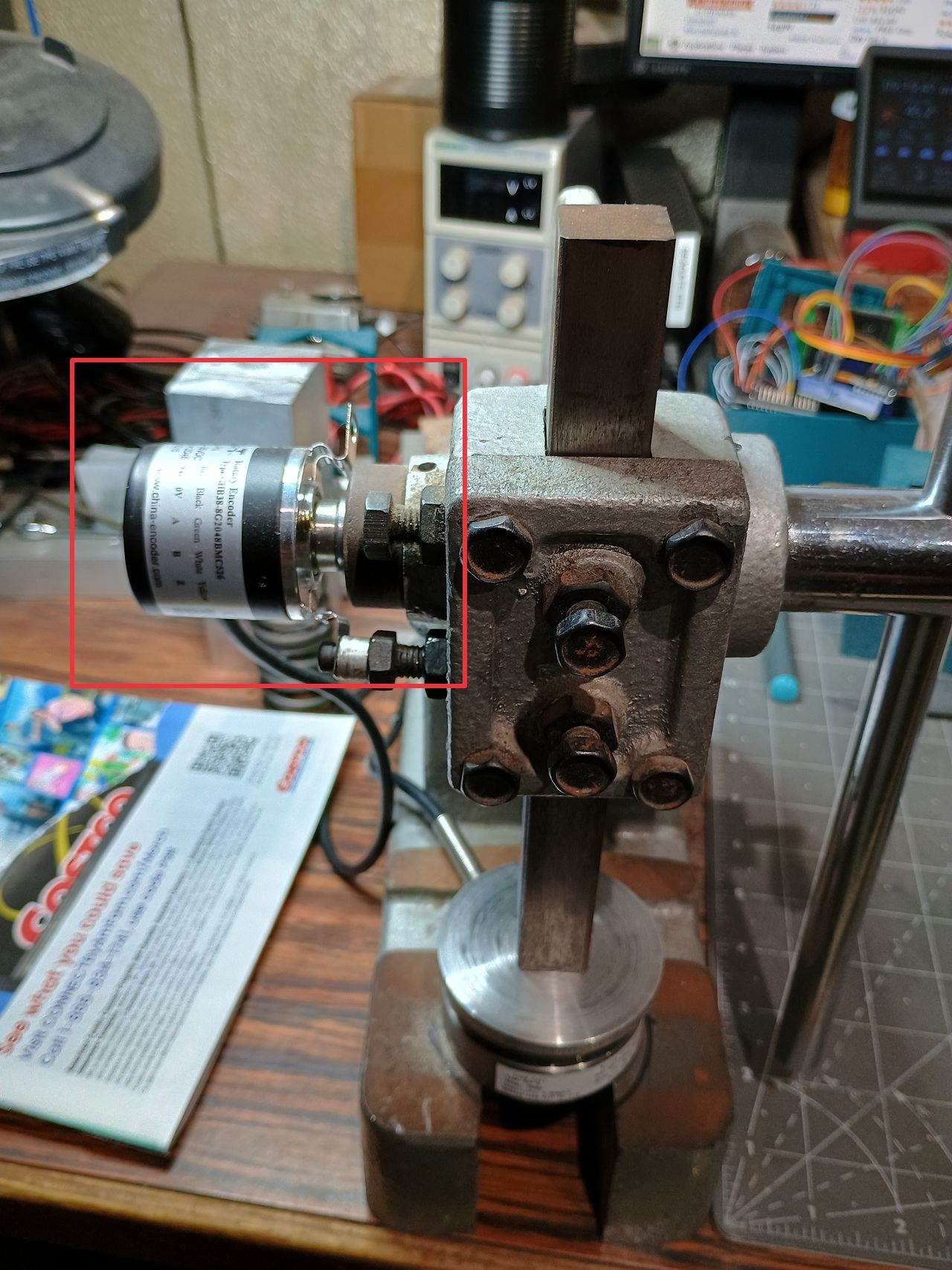
Here a pic of the arbor and encoder. It’s being used to check valve spring height and pressures and compare to specs.
First of all, you must not interrupt LVGL from outside of the regular ticks it recieves.
I don’t know how many ticks you expect to get from the rotary encoder per second, but chances are LVGL will not be able to keep up with it. I suggest you split the counting of the ticks from the display.That way you will not lose the count.
I always use a timer set to 50 or 100ms to display a variable that may change quickly.
Thanks, I figured it wouldn’t be advisable to use the interrupt routine. The speed of the encoder updates is variable just depending on how fast the handle is moved. The encoder makes about 700 tics per inch and so I estimate that in normal usage there could be 200-300 tics, or updates, or interrupts per second. I’ll add the code to the project to see what happens. There’s only two animated updates and three buttons on the screen and if any action on those gets locked up or becomes unavailable due to the interrupt then I have a problem. If it only causes a delay to the button usage or sensor updates then I might be able to live with that. I’ll try it and post what happens. There are some encoder specific lvgl functions available that I’m reviewing to see if there’s a way to mediate the situation. It appears they are more specific to the $.50 push button encoders rather than a more accurate and more capable encoder. I post this situation in the hopes that someone has already encountered this issue and found a work-around or found the proper way to add this incremental encoder to a project. I’ll post what I find. And, Tinus, I’m interested in how to split the counting of ticks from the display. My LVGL expertise level is up to 6 days as of today.
Then there is the alternative, but quite a bit more expensive. I can change to an absolute encoder and just read the thing when I need to have an encoder position. This actually makes more sense but is 5 to 10 times more expensive.
OK, I’m guessing that the movement of the encoder is just not fast enough to affect the operation of lvgl, no matter how fast I move the handle connected to the encoder. Readout is accurate to a couple hundreths of an inch. I’m sure this is not the correct way to handle an ISR function in lvgl, but it works and I’m hoping someone will see this and give advice on the right way to do this. By the way, the encoder is a GHB38 from CALT Sensor. Here is the ISR attachment:
// Attaching the ISR to encoder A
attachInterrupt(digitalPinToInterrupt(ENCODER_A), encoder_isr, CHANGE);
And here is the function:
// Interrupt routine for encoder activity
void encoder_isr() {
// Reading the current state of encoder A and B
int A = digitalRead(ENCODER_A);
int B = digitalRead(ENCODER_B);
// If the state of A changed, it means the encoder has been rotated
if ((A == HIGH) != (B == LOW)) {
encoder_value–;
} else {
encoder_value++;
}
}
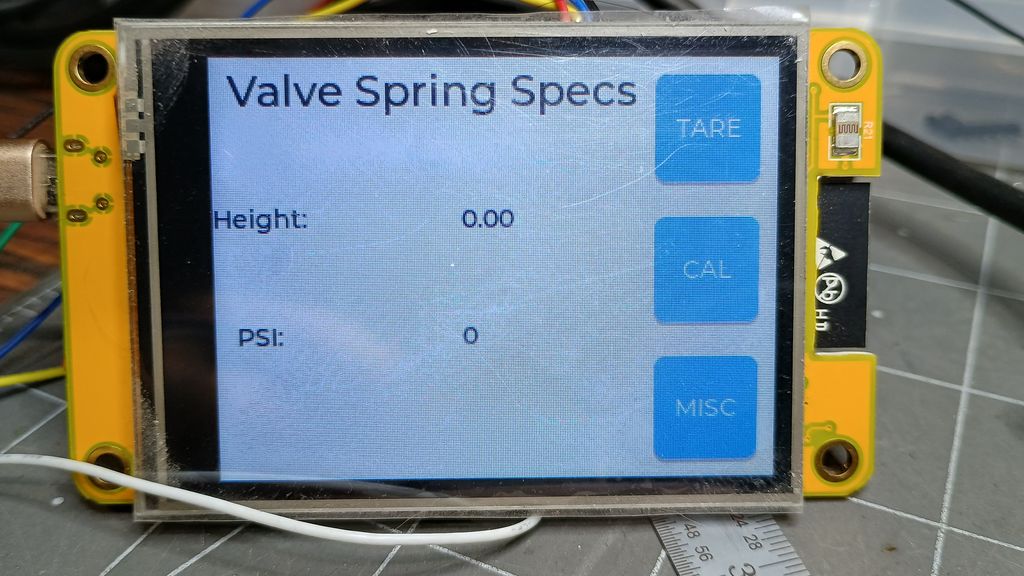
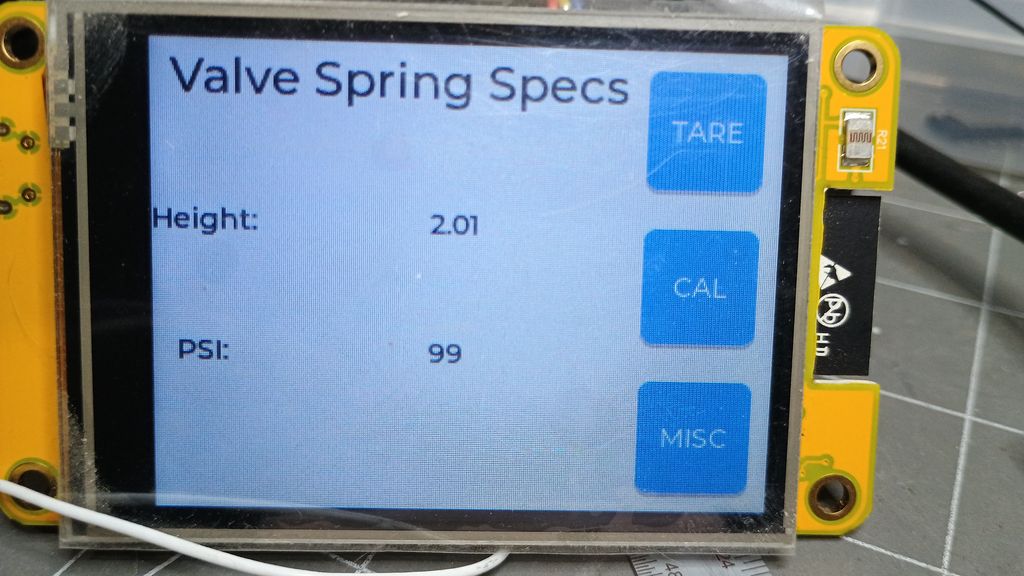
Here are pics of the zero, no load, no ram height screen and the loaded and raised ram. There’s an aluminum block being measured at 2.01", actual height is 2.008". Accuracy to 0.01" is more accuracy than I need.
The ability to do that is going to depend greatly on the MCU you are using. If it is possible with the MCU you are using then you would need to do some research into the SDK for that MCU to figure out what is the best way to go about it.
If you are using say an ESP32 you can task a single core so it only reeds the encoder pin. If you directly use the pin registers your maximum speed that it is able to read a state change is only going to be limited by the speed of the hardware. If I had to take a guess I would say that you should be able to achieve speeds of at least 80mhz. IDK how fast your encode is going to be sending pulses. I believe that is something you need to nail down first to be able to determine the best way to go about it.
Interrupts are typically fast to trigger. What you have running in the interrupt is what can slow it down. the more code you have running in the interrupt the slower you will be able to get the interrupts. If you allocate an array that is large enough right out of the gate and simply increment the index of the array and setting a 1 or a 0 into the index of the array that would not slow it down all that much. You have to be careful of a buffer overrun and also modifying the contents of the buffer if the main loop is accessing the buffer. You might have to do a double buffering design and swap the buffers out when one gets full so you can read from one and the other can be filled by the ISR.
There are many ways to go about doing this so it all depends on the MCU being used and what the load is going to be on that MCU.
Based on your description there is no reason why it should not be possible even when using LVGL. You will want to make sure that you use volatile flags and an atomic counter for your encoder ticks.
The LVGL aspects of it I would recommend using a 16 lane i8080 display and you will use partial buffers where you will need to tweak the size. You MUST have the buffers allocated in DMA memory. I would recommend using a dual core MCU this way you can initilize the GPIO and set up the interrupt handler on one core and then have LVGL running on the second core. This way sending data to the display is able to be done while LVGL is rendering data to the idle buffer and the interrupts are able to happen on the second core without stopping LVGL from doing what it is doing and without stopping the transfer of data to the display. I recommend a 16 lane i8080 display because of it’s speed and also because it has built in graphics memory allowing you to use partial buffers. While DSI is a faster transport it requires you to use full frame buffers so there is a lot of CPU time that gets used for the rendering and there is also a large amount of data that needs to get sent from the MCU to the display IC.
Tinus, the encoder_value is a volatile variable that keeps count and then once the count is known for a 1" movement of the arbor ram a conversion to inches is accurate and simple:
volatile int encoder_value = 0; // Global variable for storing the encoder position
The number assignment from the encoder_value converted to tl_height_value (text_label_height_value) takes place ‘automagically’ in the animation update that is set to happen continuously at once per second. I’m not quite sure what the highlighted line does but it doesn’t appear to affect the readings I need. tl_height_value is the displayed variable.
Like I said, I’ve been ‘experimenting’ with lvgl for a total of about a week now so it’s all new. I’m using a book from Random Nerd Tutorials 'Learn LVGL: Build GUIs for ESP32 Projects as a reference.
/added/ After browsing through the lvgl docs it appears the lv_anim_set_values function may assign numbers you may see on slider, dial gauge or bar gauge widget for low and high numberss. Doesn’t appear to have an effect for just a normal display of a variable.
kdschlosser, I should have included more info. I’m using a Cheap Yellow Display, ESP32-2432S028R, ESP-WROOM-32, ESP32-D0WDQ6 chip, dual core 240mHz. This is being done in Arduino v2, but PlatformIO and the ESP-IDF are not unfamiliar if I find an advantage. I’m a ‘plug-n-play’ guy. I find some examples, cut and paste, plug the code into a test app to see if it works then add it to the main app. Some of your suggestions are way over my head but I have thought about using one core for the count, I don’t know how to do that right now. I’m looking into it. The rotation speed of the encoder is relatively slow and I can’t move the handle fast enough to cause any problems that are apparent in the display, yet. I am surprised that injecting this interrupt into the lvgl system actually works. In fact, I really don’t know if any encoder tics are lost. The number of tics per inch is relatively large and my accuracy requirements are only to the 0.01" so the loss of a few tics most likely won’t even be noticable. I’ll display my ignorance and make some assumptions without looking through the lvgl code. Maybe the lvgl coders have locked out any external interrupts during critical operations so it can’t affect the important operations. Maybe, also, there are delays built in to accommodate various hardware configs and both of those issues are allowing my interrupts to take place without disturbing the application flow. I don’t know this is actually happening and I’m sure there’s a limit, one that my app apparently hasn’t reached. I can probably re-organize the interrupt routine to save a few cycles but right now I’ll work on visibly formatting the display the way I like, then work on this issue of trying different ways to NOT corrupt the application and the LVGL functions. I don’t mind posting the entire app code but it’s looking extremely sloppy right now with all the additions, commented out code unused code. I’ll do it later.
Using the second core has merit. I’ll be working on that next.
If I get to a point where I have some time I’d like to attach the encoder to a motor just to see how fast the encoder needs to rotate to interfere with the lvgl display. Interesting.
I don’t personally like the Arduino framework for the ESP32. It doesn’t use an official version of the EDP-IDF. It is incomplete and there is also a lot of additional overhead that is added because of all of the function wrappers.
To use the second core it is really easy to do. You will want to use the xTaskCreatePinnedToCore or xTaskCreateStaticPinnedToCore functions which are found in freertos/idf_additions.h. You can either use task notifying or an event group to send a signal from the core reading the encoder to the core running LVGL so an update to the UI is able to be performed.
Because of the high speed nature of the encoder I recommend calling lv_refr_now after you alter the value for the widget that is displaying the encoder value. This will cause lvgl to update the display immediately bypassing the 33 millisecond refresh interval.
I feel that using a pin interrupt is the way to go with this so the only thing you will need to have for the task running on the second core is something along the lines of…
// code here to set up an event group or optionally you can use task notifications

void pin_interrupt_handler(...)
{
    // code here to read the value of the pin (directly use registers for speed)
    // code here to signal task that is running LVGL

}


void second_core_task(void *user_ctx)
{
    // code here to set up encoder pins and to set up the interrupt
    for (;;) {
        // we don't want the task to exit at all. You must not allow a task to come to the
        // end of the function. If you want to end a task you need to call
        // vTaskDelete passing NULL and then do an endless loop after that call. or you can call
        // that same function passing the task handle to it to end the task from another task.
        // The task MUST not exit the function doesn't matter how you are ending the task.
       portYIELD();

        // optionally you can read the GPIO value instead of using an interrupt as well.
        // I do recommend using the GPIO register when reading for optimum performance.
        // If you go this route you will need to signal the LVGL task that the pin state has changed.
    }
}
The best thing to use for signling the LVGL task is going to be a queue. Using a queue you are able to send the actual encode value that you would calculate using the second core. You can have the LVGL task check if if there is anything in the queue and then loop the queue to empty it updating the value in the widget and refreshing the display with each loop that is made over the queue. You will need to tinker with the size of the queue to get it right so you are not wasting memory and so you don’t overrun the queue either.
Since you are using an ESP32 there is going to be a very limited about of DMA’able memory available. I recommend allocating 2 partial frame buffers that are 1/10th the size of the display when the program first starts. This will ensure that you are able to use that memory before it ends up being used for some other allocation that occurs. Make sure you use heap_caps_calloc with the flag set to MEMORY_CAP_DMA so DMA memory is what gets used when the buffers are allocated.
There is a special way that you need to write the flush function so double buffering will work properly. using DMA memory and double buffering allows a buffer to be sent to the display at the same time LVGL is rending to the other buffer.
Thanks for the recommendations. I understand about the Arduino framework. It’s just easy and quick. It’ll take me some time to implement your suggestions, but I asked so I’ll try this stuff out and continue the posts as I move along. First in the works will be using the second core and then I’ll try to work down the list.