Hi,
I am using lvgl on a 2bp lcd with a fairly low pixel resolution. Lots of things are working beautifully!
I would like to add some extra custom symbols to the standard font. These are:
a. Some new custom symbols, and also
b. A few of the glyphs in the standard font dont look quite right on this low resolution display and I would like to hand-tweak a few individual pixels.
I thought I would be able to do that by drawing those symbols and glyphs in png, using the image converter to make lv_image_dsc_t, and creating an Image Font containing just these selected glyphs with a fallback to the default font. That works, except for one problem. Those glyphs always retain their original color. For example, the buttons in the screenshot below have a style with white text on a black background, but the textarea at the top has a style with black-on-white. The 0 glyph is in the Image Font, and is always drawn white-on-black ignoring the style color.
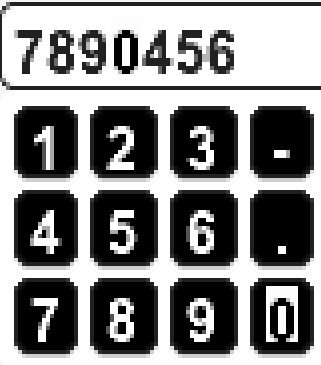
What is the solution here? How do I:
- Craft some pixels in the glyphs in a
lv_font_t. (I know how to use the font converter, but would prefer to not have to make a TTF for my custom glyphs)
Or, - Use the image converter and Image Font to create a font that can be styled in different colors?
Thanks,
Toby