What do you want to achieve?
I want to display a picture on the screen by using Image widget. The source of the image is a variable in code (a C array containing the pixels).
What have you tried so far?
First, I used LVGLImage.py to get a plus.c file, which contains "-ofmt C -cf I1 . /plus.png " parameter. Then I wrote the following UI code:
void myUI()
{
    lv_theme_t * theme = lv_theme_mono_init(lv_display_get_default(), true, &lv_font_montserrat_20);
    lv_display_set_theme(lv_display_get_default(), theme);

    LV_IMAGE_DECLARE(plus);
    lv_obj_t *  img_plus = lv_image_create(lv_screen_active());
    //lv_image_set_src(img_plus, LV_SYMBOL_OK);
    lv_image_set_src(img_plus, &plus);
    lv_obj_center(img_plus);
}
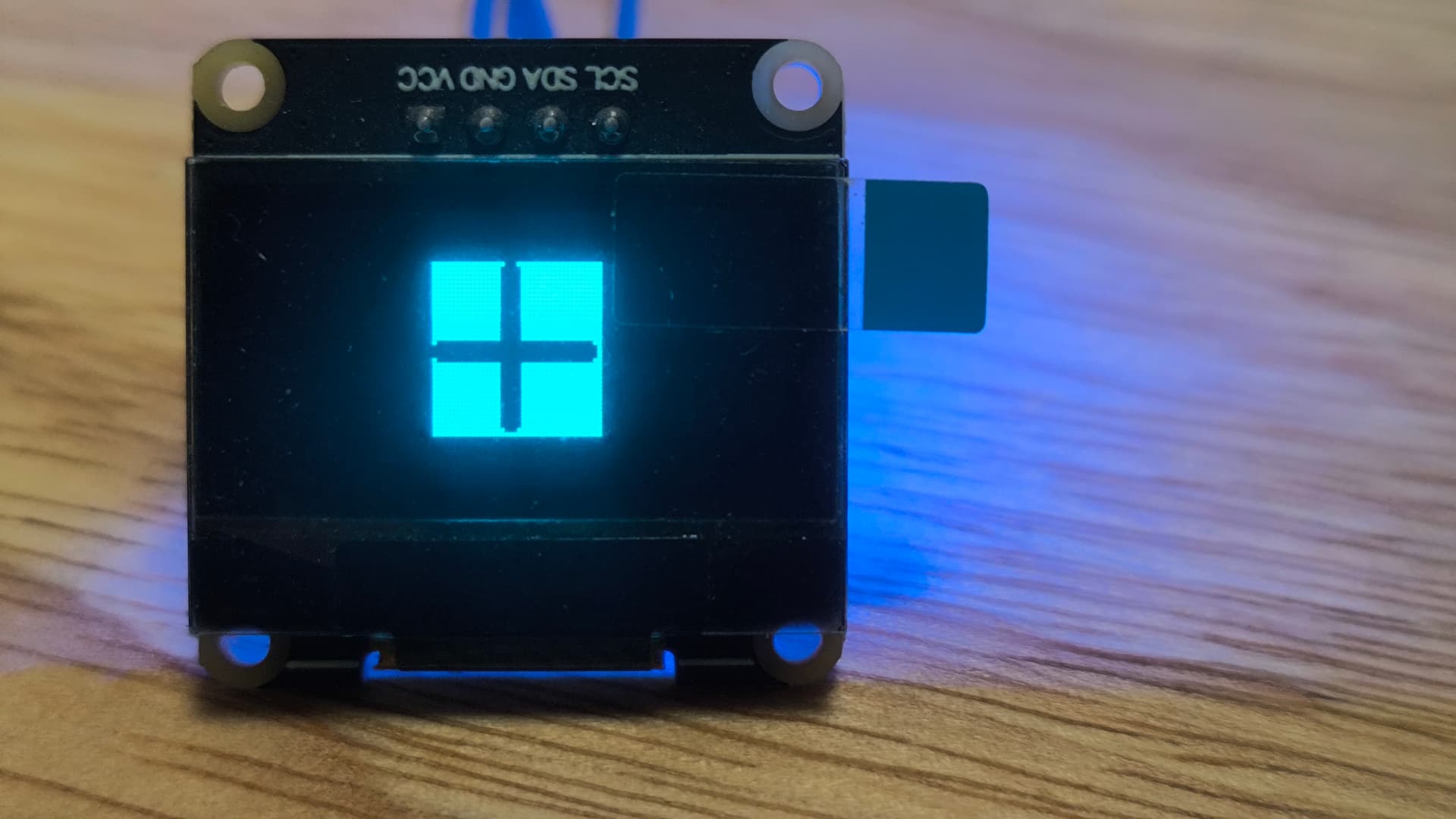
But the result of execution were nothing on my screen. Finally, i uncommented lv_image_set_src(img_plus, LV_SYMBOL_OK); and commented lv_image_set_src(img_plus, &plus); . The “√” symbol appeared on the screen.
Code to reproduce
//plus.c file
#if defined(LV_LVGL_H_INCLUDE_SIMPLE)
#include "lvgl.h"
#elif defined(LV_LVGL_H_INCLUDE_SYSTEM)
#include <lvgl.h>
#elif defined(LV_BUILD_TEST)
#include "../lvgl.h"
#else
#include "lvgl/lvgl.h"
#endif

#ifndef LV_ATTRIBUTE_MEM_ALIGN
#define LV_ATTRIBUTE_MEM_ALIGN
#endif

#ifndef LV_ATTRIBUTE_PLUS
#define LV_ATTRIBUTE_PLUS
#endif

static const
LV_ATTRIBUTE_MEM_ALIGN LV_ATTRIBUTE_LARGE_CONST LV_ATTRIBUTE_PLUS
uint8_t plus_map[] = {

    0x00,0x00,0x00,0xff,0xff,0xff,0xff,0xff,

    0xff,0xff,0x8f,0xff,0xff,
    0xff,0xff,0x07,0xff,0xff,
    0xff,0xff,0x07,0xff,0xff,
    0xff,0xff,0x07,0xff,0xff,
    0xff,0xff,0x07,0xff,0xff,
    0xff,0xff,0x07,0xff,0xff,
    0xff,0xff,0x07,0xff,0xff,
    0xff,0xff,0x07,0xff,0xff,
    0xff,0xff,0x07,0xff,0xff,
    0xff,0xff,0x07,0xff,0xff,
    0xff,0xff,0x07,0xff,0xff,
    0xff,0xff,0x07,0xff,0xff,
    0xff,0xff,0x07,0xff,0xff,
    0xff,0xff,0x07,0xff,0xff,
    0xff,0xff,0x07,0xff,0xff,
    0xff,0xff,0x07,0xff,0xff,
    0xff,0xff,0x07,0xff,0xff,
    0xff,0xff,0x07,0xff,0xff,
    0x80,0x00,0x00,0x00,0x03,
    0x00,0x00,0x00,0x00,0x01,
    0x00,0x00,0x00,0x00,0x01,
    0x00,0x00,0x00,0x00,0x01,
    0x80,0x00,0x00,0x00,0x03,
    0xff,0xff,0x07,0xff,0xff,
    0xff,0xff,0x07,0xff,0xff,
    0xff,0xff,0x07,0xff,0xff,
    0xff,0xff,0x07,0xff,0xff,
    0xff,0xff,0x07,0xff,0xff,
    0xff,0xff,0x07,0xff,0xff,
    0xff,0xff,0x07,0xff,0xff,
    0xff,0xff,0x07,0xff,0xff,
    0xff,0xff,0x07,0xff,0xff,
    0xff,0xff,0x07,0xff,0xff,
    0xff,0xff,0x07,0xff,0xff,
    0xff,0xff,0x07,0xff,0xff,
    0xff,0xff,0x07,0xff,0xff,
    0xff,0xff,0x07,0xff,0xff,
    0xff,0xff,0x07,0xff,0xff,
    0xff,0xff,0x8f,0xff,0xff,
    0xff,0xff,0xff,0xff,0xff,

};

const lv_image_dsc_t plus = {
  .header = {
    .magic = LV_IMAGE_HEADER_MAGIC,
    .cf = LV_COLOR_FORMAT_I1,
    .flags = 0,
    .w = 40,
    .h = 40,
    .stride = 5,
    .reserved_2 = 0,
  },
  .data_size = sizeof(plus_map),
  .data = plus_map,
  .reserved = NULL,
};
Screenshot and/or video
display result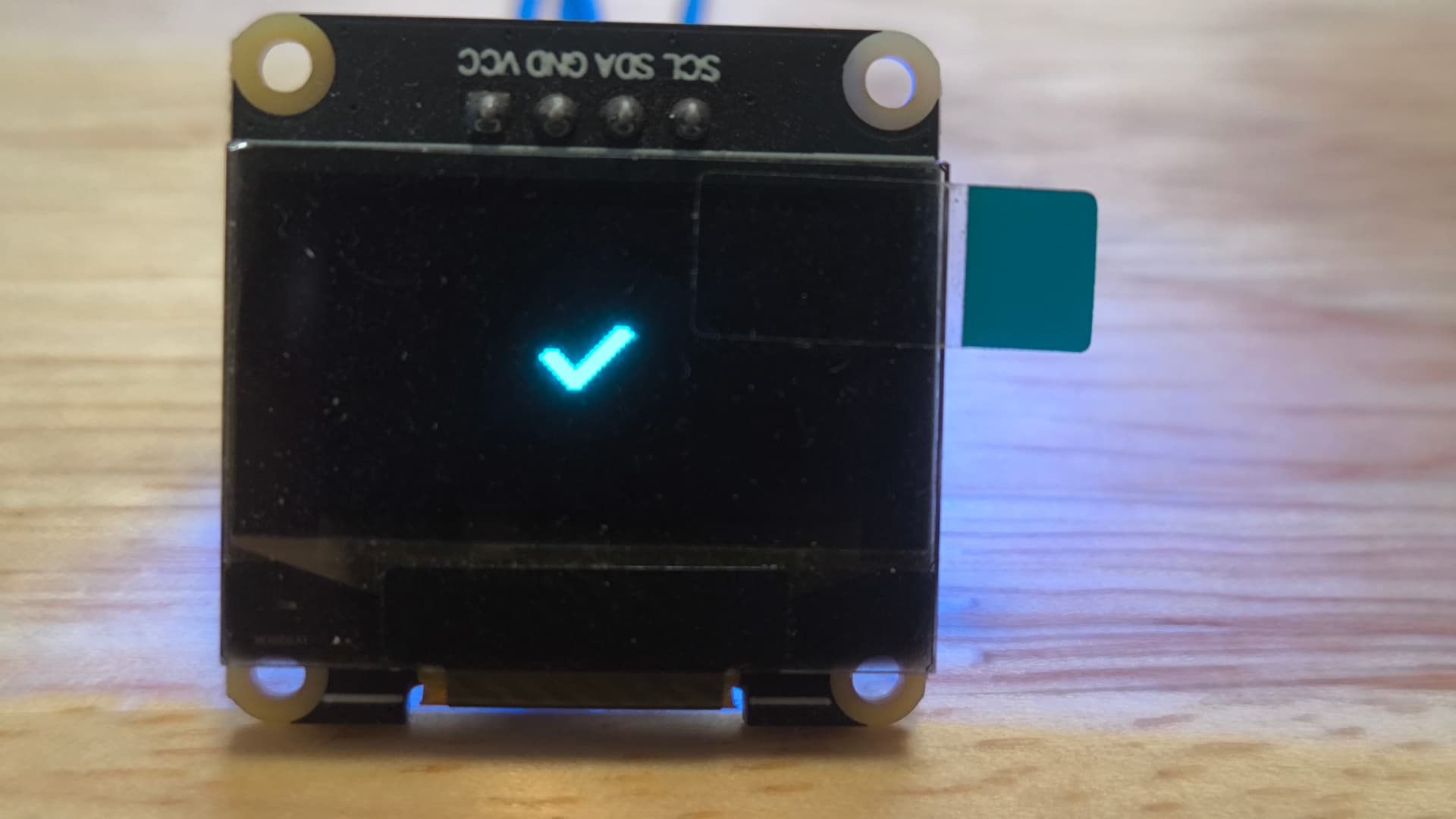
 plus.png
Environment
- MCU/MPU/Board: Some Cortex-M4 MCU + SSD1306 monochrome display
- lv_cofig.h I have defined LV_COLOR_DEPTH 1 in lv_config.h
- LVGL version: v9.4