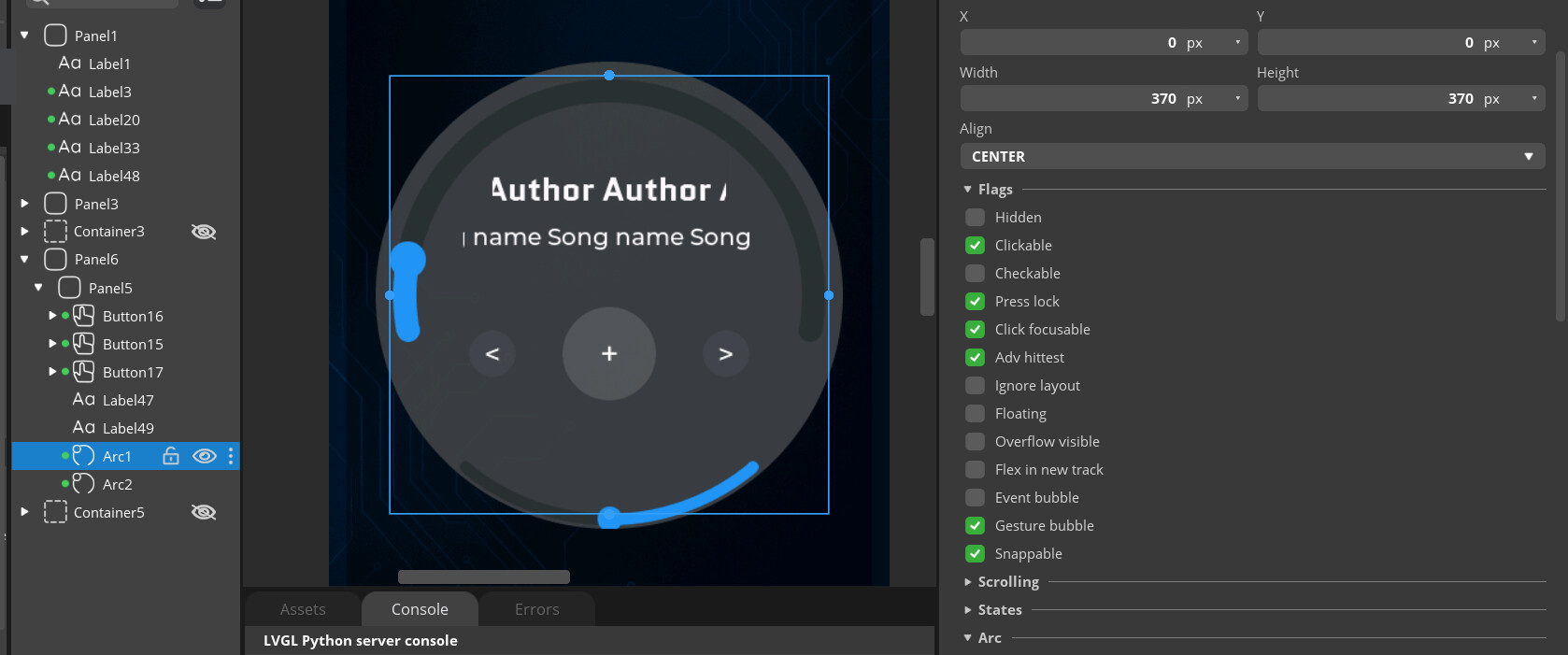
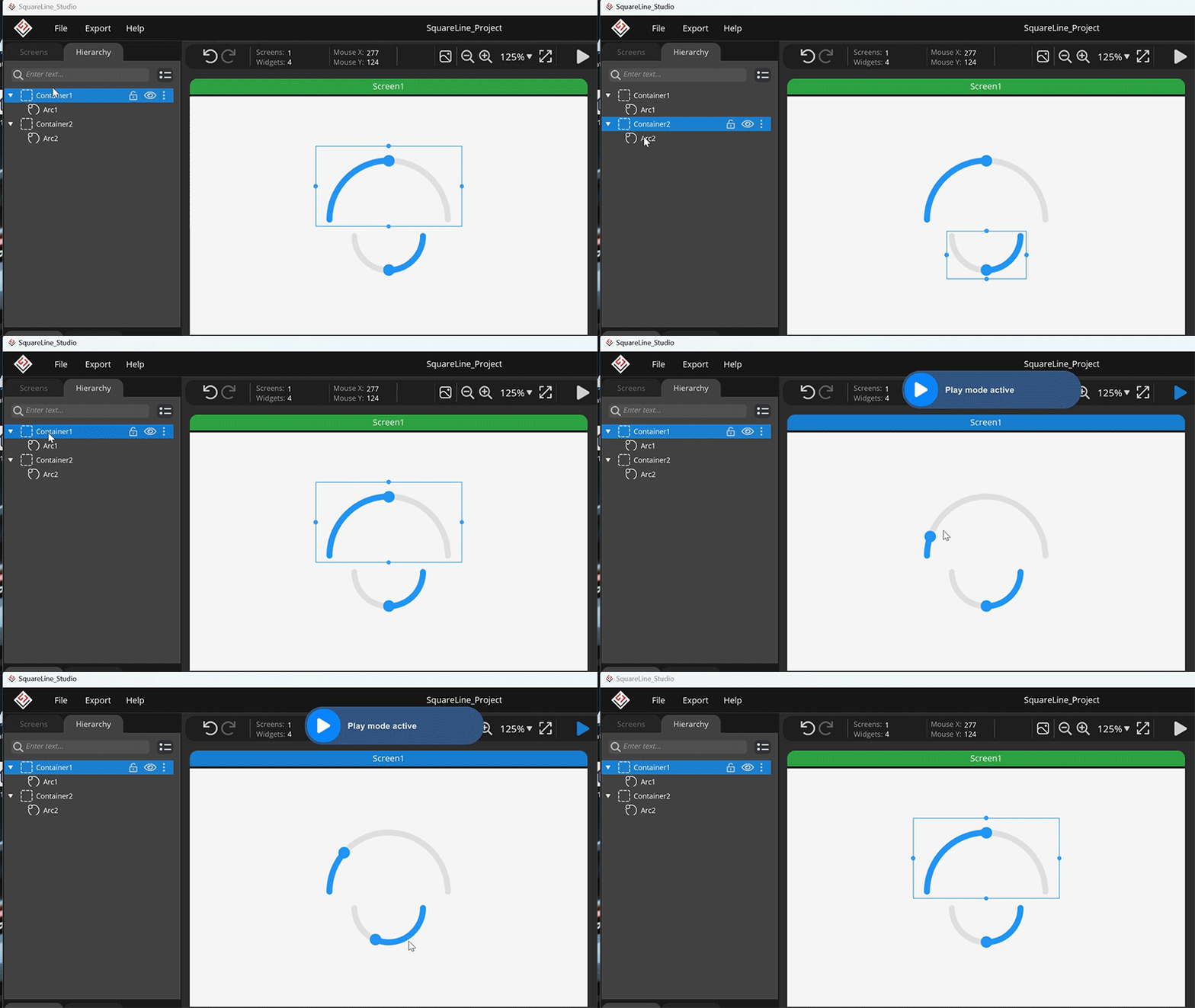
Thanks for your replies! ive tried putting each arc in a container and it works much better, still have few spots where the arc is getting stuck (both arcs have different point of getting stuck)
here is the code generated by the studio, what am i missing?
//panel 5 is the gray circle
ui_Panel5 = lv_obj_create(ui_Panel6);
lv_obj_set_width(ui_Panel5, 400);
lv_obj_set_height(ui_Panel5, 400);
lv_obj_set_align(ui_Panel5, LV_ALIGN_CENTER);
lv_obj_clear_flag(ui_Panel5, LV_OBJ_FLAG_CLICKABLE | LV_OBJ_FLAG_SCROLLABLE); /// Flags
lv_obj_set_style_radius(ui_Panel5, 200, LV_PART_MAIN | LV_STATE_DEFAULT);
lv_obj_set_style_bg_color(ui_Panel5, lv_color_hex(0x4C4D4D), LV_PART_MAIN | LV_STATE_DEFAULT);
lv_obj_set_style_bg_opa(ui_Panel5, 200, LV_PART_MAIN | LV_STATE_DEFAULT);
lv_obj_set_style_border_width(ui_Panel5, 0, LV_PART_MAIN | LV_STATE_DEFAULT);
ui_Container4 = lv_obj_create(ui_Panel5);
lv_obj_remove_style_all(ui_Container4);
lv_obj_set_width(ui_Container4, 450);
lv_obj_set_height(ui_Container4, 200);
lv_obj_set_align(ui_Container4, LV_ALIGN_TOP_MID);
lv_obj_clear_flag(ui_Container4, LV_OBJ_FLAG_CLICKABLE | LV_OBJ_FLAG_SCROLLABLE); /// Flags
ui_Arc1 = lv_arc_create(ui_Container4);
lv_obj_set_width(ui_Arc1, 380);
lv_obj_set_height(ui_Arc1, 380);
lv_obj_set_align(ui_Arc1, LV_ALIGN_TOP_MID);
lv_obj_add_flag(ui_Arc1, LV_OBJ_FLAG_ADV_HITTEST); /// Flags
lv_arc_set_value(ui_Arc1, 50);
lv_arc_set_bg_angles(ui_Arc1, 10, 170);
lv_arc_set_rotation(ui_Arc1, 180);
ui_Container8 = lv_obj_create(ui_Panel5);
lv_obj_remove_style_all(ui_Container8);
lv_obj_set_width(ui_Container8, 450);
lv_obj_set_height(ui_Container8, 100);
lv_obj_set_align(ui_Container8, LV_ALIGN_BOTTOM_MID);
lv_obj_clear_flag(ui_Container8, LV_OBJ_FLAG_CLICKABLE | LV_OBJ_FLAG_SCROLLABLE); /// Flags
ui_Arc2 = lv_arc_create(ui_Container8);
lv_obj_set_width(ui_Arc2, 380);
lv_obj_set_height(ui_Arc2, 380);
lv_obj_set_align(ui_Arc2, LV_ALIGN_BOTTOM_MID);
lv_obj_add_flag(ui_Arc2, LV_OBJ_FLAG_ADV_HITTEST); /// Flags
lv_arc_set_value(ui_Arc2, 50);
lv_arc_set_bg_angles(ui_Arc2, 40, 140);