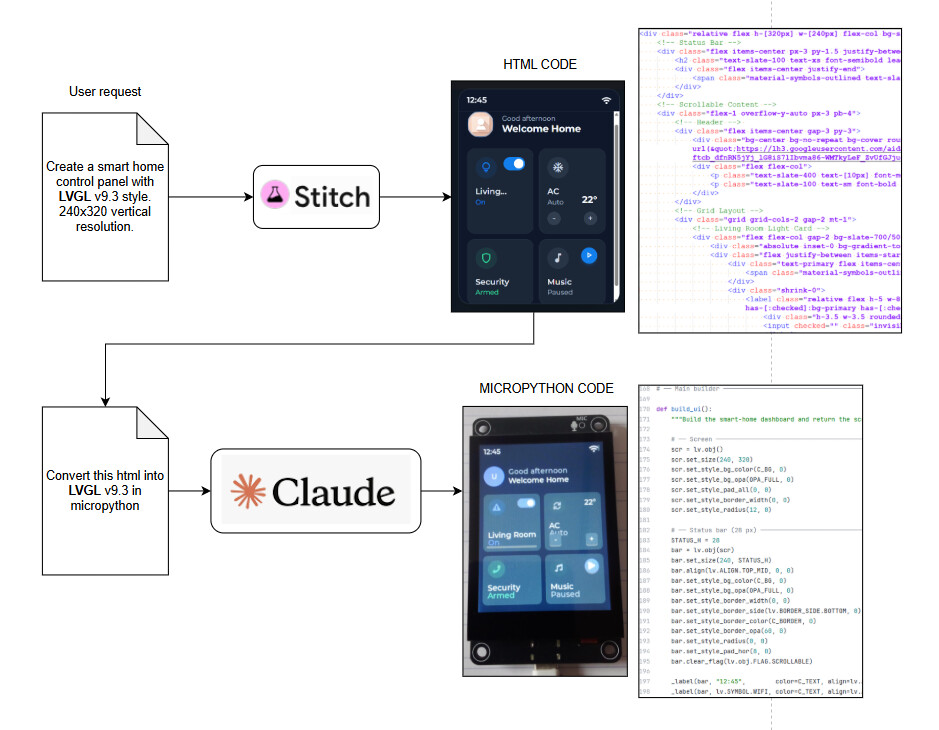
Just testing this Google AI tool named Stitch to generate UIs. You give the description and it creates a set of UI screens, just as any other AI tool can do, but the difference is that they are in HTML, not images, so you can export to figma or other tools, or translate to a different languages with more AI. In the example I show in the image, I used Claude to convert the HTML to LVGL v9.3 in MicroPython.
Thanks for sharing. Did you have the opportunity to convert the HTML to XML (LVGL Syntax) and test it using the LVGL editor?
After seeing this post, I give it a try.
And was quite suprised by the result, eventually a better “prompt” and/or “Readme.md” associated to the project is required to explain some stuff.
But, this was the original Google Sticht output (this was a very quick test, just two interactions):
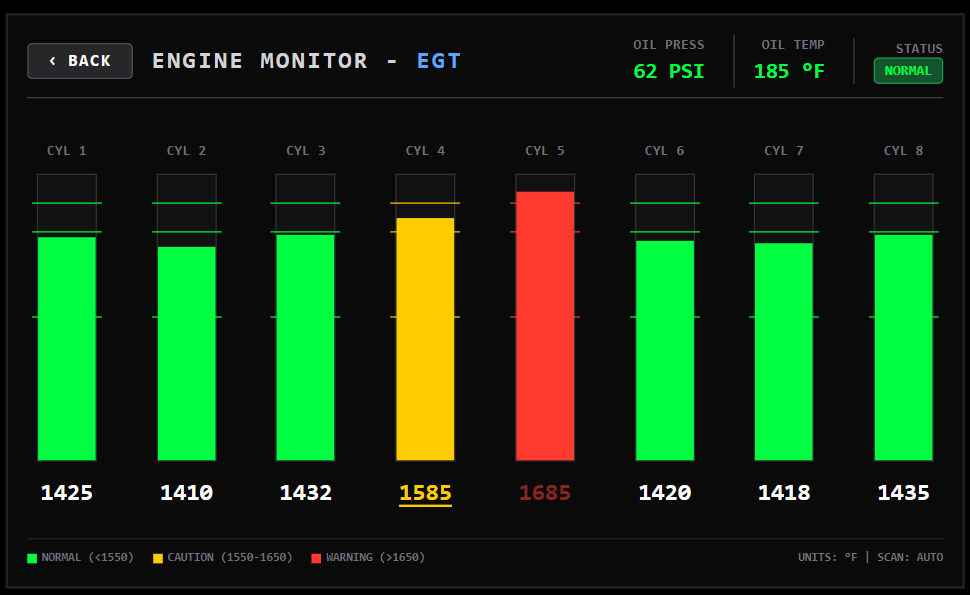
Then asked Codex to convert to LVGL XML, no longer have the first “output”, but this is the result after some tunning (specially because of styles and default values like padding and etc…)
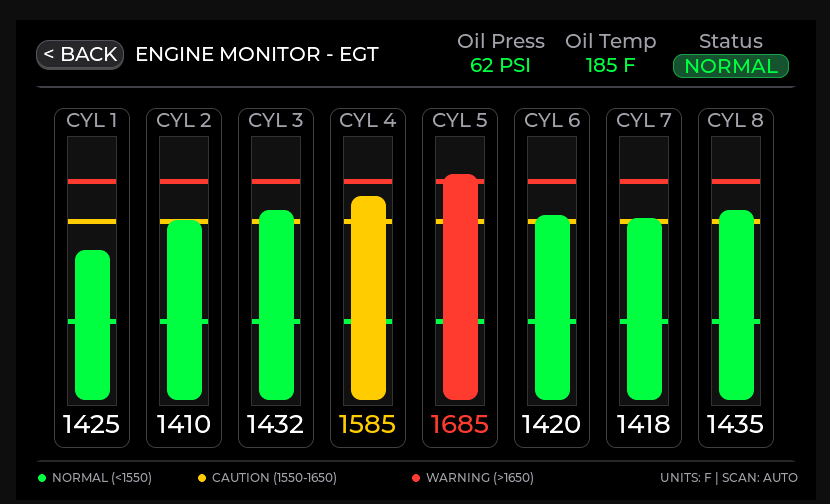
This where the prompts to Codex, so it can be a lot better:
I have tis GUI Designed in "HTML", Core\GUI\screens\Demo_Stich\code.html and an image of it Core\GUI\screens\Demo_Stich\screen.png.
Convert this to LVGL XML Markup.
Initially it simple “copied” the structure of the html file.
Considering that in this page there some duplicated objects types, it seems to make some sense to create components (reusable block), for example each the "EGT" object, to be a component that includes the title, bar and value
Then it created a component for the “bars”, and updated the xml to reuse them
I see in HTML that they are using "flex" for some stuff, on the header and on the footer... Shouldn't this also be translated to a "Flex" or eventually "grid" equivalent of LVGL, instead of having "fix coordinates"
It regenerated the XML using “flex” for the labels position on the header / Footer and to place/space the “bars” in the middle.
No values are binded, it created “alone whithout my request” “api”/“props” for the component it generated, and the last comment it gave me was asking
If you want, I can do one more pass to convert the hardcoded metric texts to subjects (bind_text) so this screen is fully data-driven.
It created most of the general stuff correct, it didn’t exported the fonts it just used some fonts that I already had in the globals.xml and there were some “visual” issues related to the default theme on the editor having some very large padding values…
But it was a nice “experiment”, total time wasted for this was less than one hour, and most of the fixes I did manually was “trial and error” since being very new to this “xml” stuff.
Unfortunately, i made a big mistake… show this to my boss, now he is saying that is going to design the entire GUI in Sticht for me to adapt it 
Need to do some, more testing, but it is a good argument to buy the editor, since it’s way more easy to “tune” the XML on the editor with the live preview than tunning the C Code and having to build / deploy every time… Need to test the LVGL Editor with VsCode Extension maybe that way is more “easy” to iterate with the “AI”…