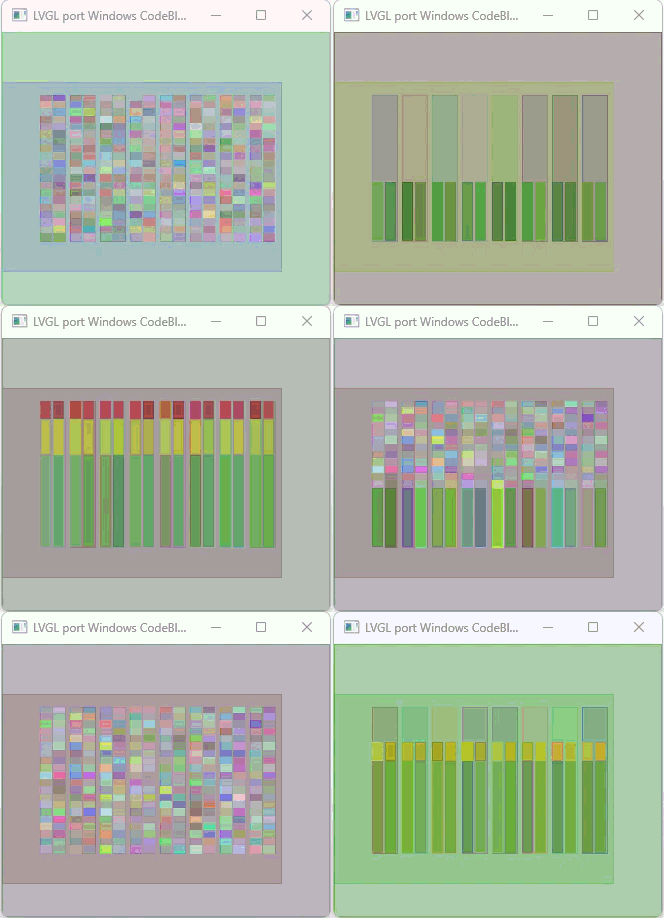
Firstly is didn’t think that FreeRTOS ran on Windows…
Secondly areas of update are on a per widget basis. so if you have the entire screen filled with sliders and you are updating all of the sliders between each call to lv_task_handler of course the entire screen might get redrawn. That because you have caused an update to every single widget to occur.
When dealing with an MCU there is a balancing act that has to be handled. That balancing act is memory and CPU use. It is going to be more CPU intensive in order to perform the calculations needed to locate and identify only the exact areas of a widget that need to get updated and to only update those very specific areas. The locations of those areas would need to be stored. Is it worth doing that extra work and consuming that extra memory? in 99% of the use cases it is not. while it might take a little bit more time to redraw the entire widget the amount of memory saved is more than likely worth it. The rendering time is also able to be mitigated by using DMA memory and double buffering…
running 2 tasks one that handles updating the widgets and another that handles calling lv_refresh_now is counter productive and will actually slow things down because of the context switching. A better solution is to use FreeRTOS messages and from one task you read the data from where ever it is that it is being collected from to set the values for the widgets. That task doesn’t actually set the widgets. it passes the data via a FreeRTOS message to a task that handles everything LVGL related. Well almost everything. There should be a 3rd task that only serves the purpose of incrementing the tick count in LVGL.
ticks in LVGL are a millisecond resolution. ticks in FreeRTOS are not. There are helper macros/functions in FreeRTOS that will convert a FreeRTOS tick into a millisecond time amount. It doesn’t appear that you are using those macros/functions and that could be causing an issue.
The other thing is by changing the refresh timeout to 66 you are changing the polling rates that LVGL has for updating the display and reading input from touch pads etc. If you want the best performance I personally would leave that set at 33 milliseconds and call lv_task_handler when you task comes full circle and make a call to lv_refr_now after each widget gets updated.
The MCU you are using would also be helpful to know. It would also be helpful to know what you environment is. Arduino IDE, ESP-IDF build system, Platform IO, etc…
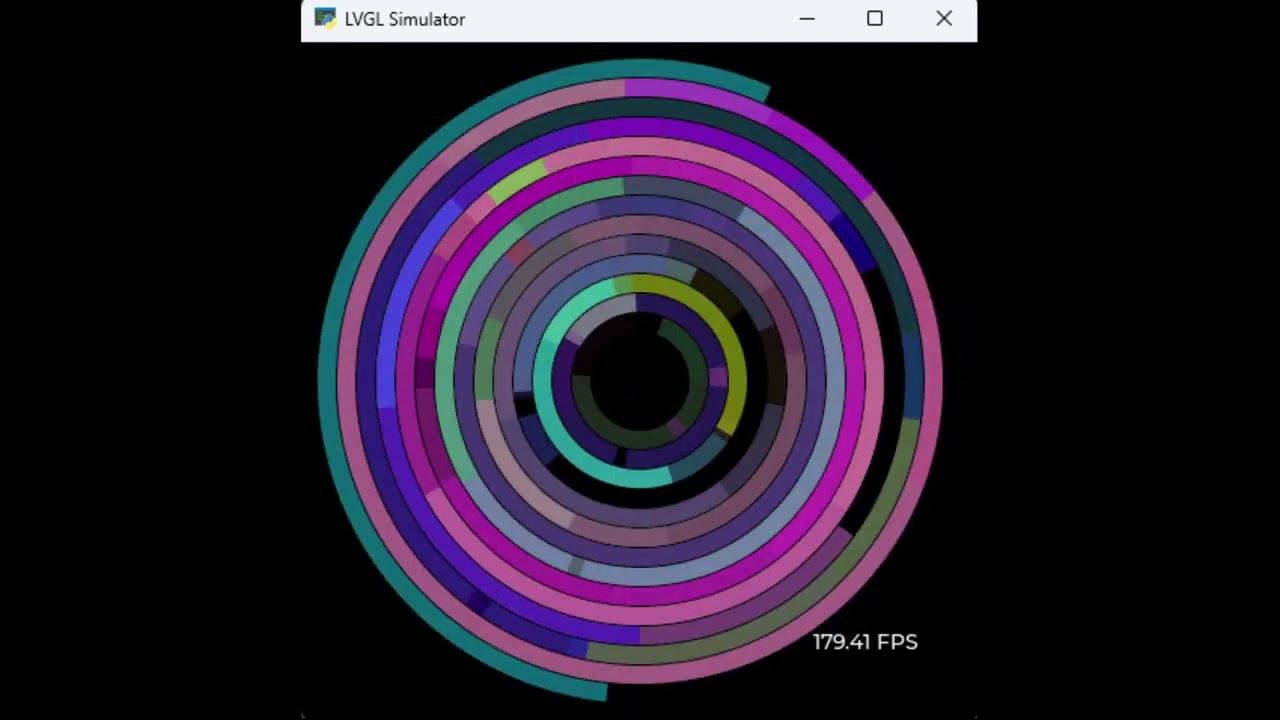
So here is an example of using arc sliders in a manner that is similar to what you are attempting to do…
In the video the resolution is 450 x 450 x 24. There are a total of 56 arc widgets being used (4 layers 14 arcs wide). The arcs overlap each other and all of the arcs have a background opacity of 0. The color, opacity, start angle, stop angle and value are randomly generated each loop of the code. This is a really important test because of the large amount of calculation that is being done due to the alpha blending and the generation of new colors that are seen when the arcs overlap each other.
Now another important thing is this is running in Python with LVGL compiled as a shared library (DLL) using CFFI to access the DLL. I am using CFFI to attached to DLL files in Windows to handle the creation of the window and drawing the buffer to that window. Python is 200 times slower to execute than C code.
My point is you need to manage when work is being done and how it is being done.
In your specific use cause it is going to be best if you create 2 buffers that are the full display size. Keep the mode set to partial and to use DMA memory for the buffers and you transfer the buffers using DMA. The reason why this is better is because there is going to be far less overhead writing a single full display frame buffer than having to do all of the extra computations going back and forth filling small buffers. LVGL will hammer out how much of the buffers are going to be used and if the entire buffer doesn’t need to be used then it won’t use the whole thing. But when it does need to use it instead of having to cut it up into smaller chunks it is able to handle it all in a single go.
If you have memory constraints that will not allow you to use a full size frame buffer then you need to manage when the work is being done. Update a single widget and then immediately call lv_refr_now which will render only that single widget. Set you frame buffer size so it is large enough to hold the entire area of a single widget.