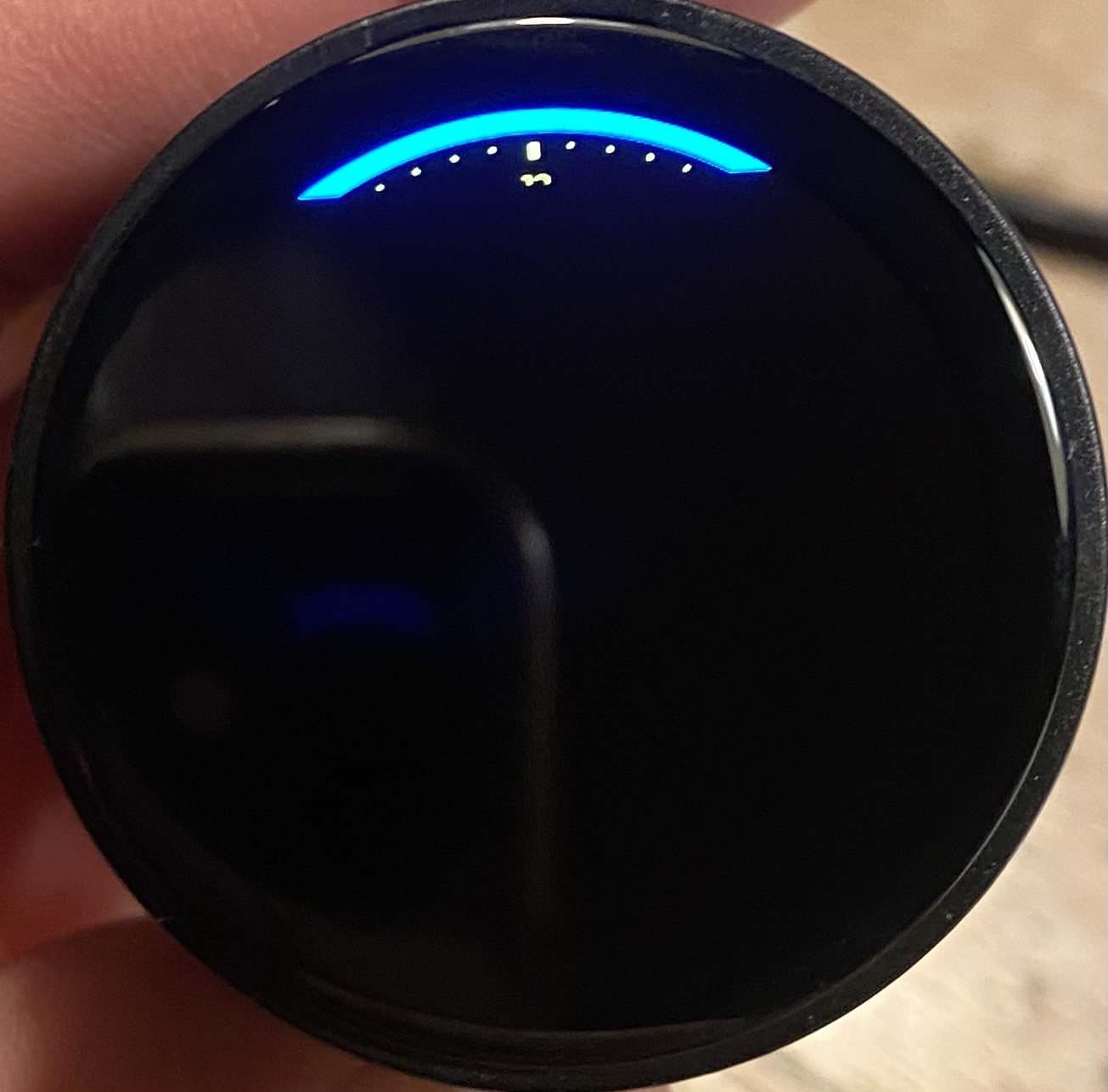
Description
I am working on a round display connected to an ESP32S3 N16R8. DIsplay chip is SH8601A and Touch driver is CHSC5816. All individual parts work with example programs.
The device I have also has an encoder + push button integrated.
I am developing a small kitchen clock with cooking timer(s) and Wifi time sync. I borrowed code from the lvgl scale example.
So far I’ve managed to display the scale and hour numbers, with functioning encoder events, but when I add just 1 more statement
minute_hand = lv_line_create(scale);
only 1/10th of the display is painted and it seems the code halts. (Encoder events are no longer printed to the USB serial port). Please advise in what direction I should look for a solution. I am an experienced programmer with Atmel and Arduino but new on ESP32, PlatformIO, VScode and LVGL.
What MCU/Processor/Board and compiler are you using?
ESP32S3 / PlatformIO /Arduino platform / VSCode
What do you want to achieve?
To be able to add more lvgl objects and a fully painting and functional display.
What have you tried so far?
- Try increase the display buffer size (Width x height / 10 thing)
- I have activated PSRAM (after a lot of researching & trying), but nothing changes
- Moved from lvgl 9.2.2 to lvgl 9.3.0 (seemed to be a better choice for activating PSRAM)
Code to reproduce
This works:
        // Write codes Home
    ui->home = lv_obj_create(NULL);
    lv_obj_set_size(ui->home, ui->win_width, ui->win_height);
    lv_obj_set_scrollbar_mode(ui->home, LV_SCROLLBAR_MODE_OFF);

    // Write style for Home, Part: LV_PART_MAIN, State: LV_STATE_DEFAULT.
    lv_obj_set_style_bg_opa(ui->home, 0, LV_PART_MAIN | LV_STATE_DEFAULT);

    ui->home_tileview = lv_tileview_create(ui->home);

    ui->home_tile_1 = lv_tileview_add_tile(ui->home_tileview, 0, 0, (lv_dir_t)(LV_DIR_LEFT | LV_DIR_RIGHT));

    lv_obj_set_style_bg_opa(ui->home_tile_1, LV_OPA_100, 0);
    lv_obj_set_style_bg_color(ui->home_tile_1, lv_color_black(), 0);

        // Draw the clock face
    lv_obj_t* clock_face = lv_arc_create(ui->home_tile_1);
    lv_obj_set_style_arc_color(clock_face, lv_palette_main(LV_PALETTE_RED), LV_PART_MAIN);
    lv_obj_set_style_arc_width(clock_face, 2, LV_PART_MAIN); // Set arc thickness to 6 pixels
    lv_obj_set_size(clock_face, 380, 380);
    lv_obj_clear_flag(clock_face, LV_OBJ_FLAG_CLICKABLE);   /// Flags
    lv_obj_center(clock_face);
    lv_arc_set_bg_angles(clock_face, 0, 360);
    lv_arc_set_start_angle(clock_face, 0);
    lv_arc_set_end_angle(clock_face, 360);
    lv_obj_remove_style(clock_face, NULL, LV_PART_KNOB); // Remove knob
    //lv_arc_set_value(clock_face, 360);
    scale = lv_scale_create(ui->home_tile_1);

    lv_obj_set_size(scale, 360, 360);
    lv_scale_set_mode(scale, LV_SCALE_MODE_ROUND_INNER);
    lv_obj_set_style_bg_opa(scale, LV_OPA_60, 0);
    lv_obj_set_style_bg_color(scale, lv_color_black(), 0);
    lv_obj_set_style_radius(scale, LV_RADIUS_CIRCLE, 0);
    lv_obj_set_style_clip_corner(scale, true, 0);
    lv_obj_center(scale);

    lv_scale_set_label_show(scale, true);

    lv_scale_set_total_tick_count(scale, 61);
    lv_scale_set_major_tick_every(scale, 5);

    static const char * hour_ticks[] = {"12", "1", "2", "3", "4", "5", "6", "7", "8", "9", "10", "11", NULL};
    lv_scale_set_text_src(scale, hour_ticks);

    static lv_style_t indicator_style;
    lv_style_init(&indicator_style);

    /* Label style properties */
    //lv_style_set_text_font(&indicator_style, &lv_font_montserrat_28);
    lv_style_set_text_font(&indicator_style, LV_FONT_DEFAULT);
    lv_style_set_text_color(&indicator_style, lv_palette_main(LV_PALETTE_YELLOW));


    /* Major tick properties */
    lv_style_set_line_color(&indicator_style, lv_palette_main(LV_PALETTE_YELLOW));
    lv_style_set_length(&indicator_style, 10); /* tick length */
    lv_style_set_line_width(&indicator_style, 4); /* tick width */
    lv_obj_add_style(scale, &indicator_style, LV_PART_INDICATOR);

    /* Minor tick properties */
    static lv_style_t minor_ticks_style;
    lv_style_init(&minor_ticks_style);
    lv_style_set_line_color(&minor_ticks_style, lv_palette_main(LV_PALETTE_YELLOW));
    lv_style_set_length(&minor_ticks_style, 6); /* tick length */
    lv_style_set_line_width(&minor_ticks_style, 2); /* tick width */
    lv_obj_add_style(scale, &minor_ticks_style, LV_PART_ITEMS);

    /* Main line properties */
    static lv_style_t main_line_style;
    lv_style_init(&main_line_style);
    lv_style_set_arc_color(&main_line_style, lv_color_black());
    lv_style_set_arc_width(&main_line_style, 5);
    lv_obj_add_style(scale, &main_line_style, LV_PART_MAIN);

    lv_scale_set_range(scale, 0, 60);

    lv_scale_set_angle_range(scale, 360);
    lv_scale_set_rotation(scale, 270);
but when I add this single statement (let alone the associated statements, including those for the hour hand) the partial display paint appears and everything stops.
minute_hand = lv_line_create(scale);
Screenshot and/or video
Full scale
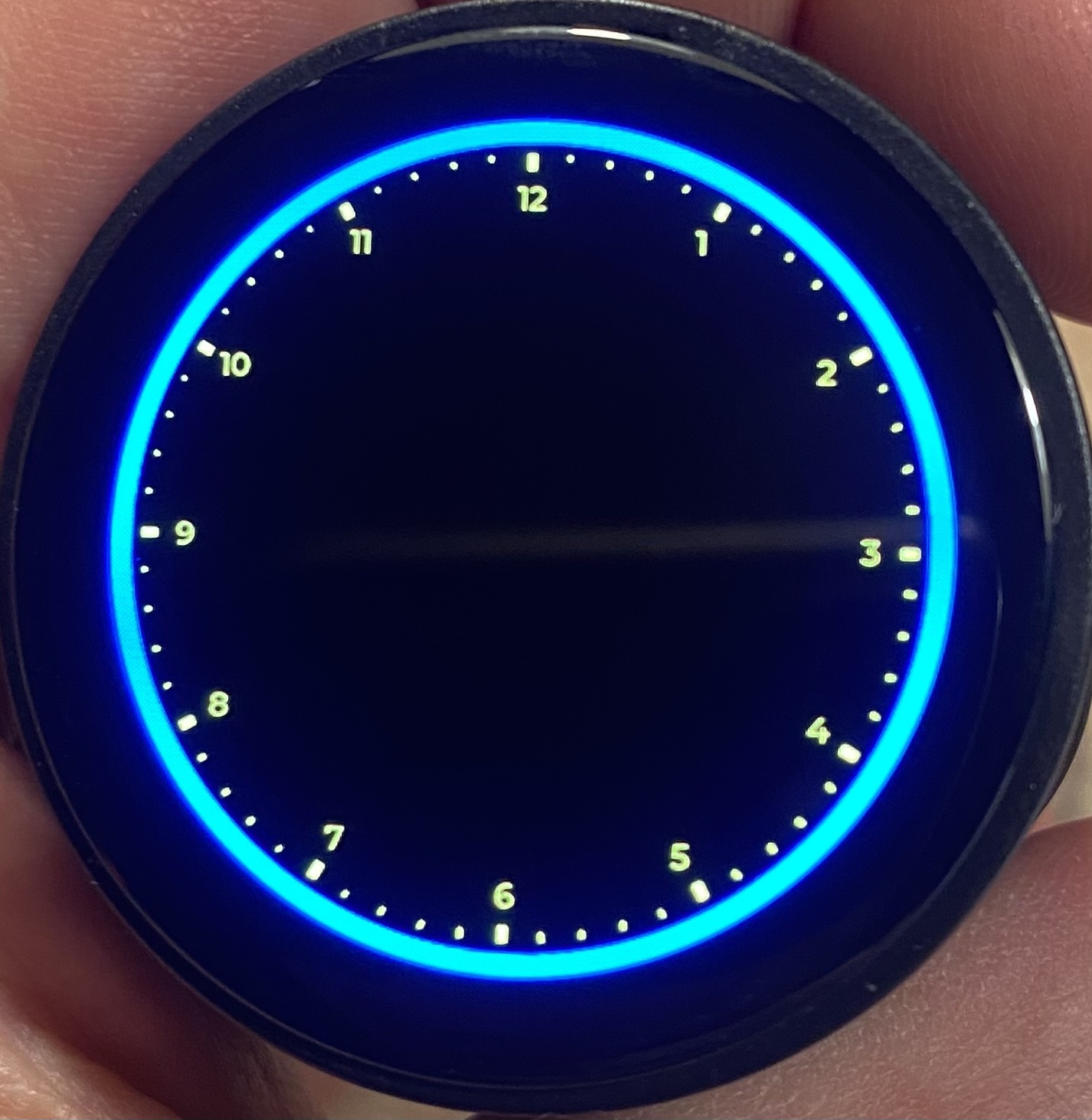
Partly painted scale