Right now, if I turn on the recolor feature for labels, I can’t actually use a normal # character in my text because LVGL always thinks it’s the start of a color code. This is a problem when I want to write something like “System #1 status: #00FF00 ONLINE#”. Currently, that first # causes the text to be rendered differently than intended.
I want to change the syntax to use #\ instead of just #. For example, changing a color would look like this: System #1 status: #\00FF00 ONLINE#
This way, the parser knows that a single # is just regular text, and it only starts coloring when it sees the #\ sequence. I’m ready to write the code for this change myself—I just wanted to check if you guys like this syntax before I start on the PR.
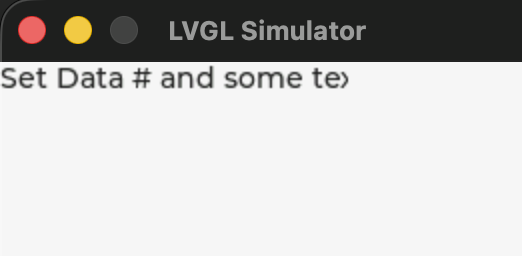
It seems LVGL doesn’t currently support an escape sequence for recolor mode. Using ## renders the second #, but the label text is clipped when using LV_SIZE_CONTENT.
lv_obj_t *label = lv_label_create(lv_screen_active());
lv_label_set_text(label, "Set Data ## and some text");
lv_label_set_recolor(label, true);