What do you want to achieve?
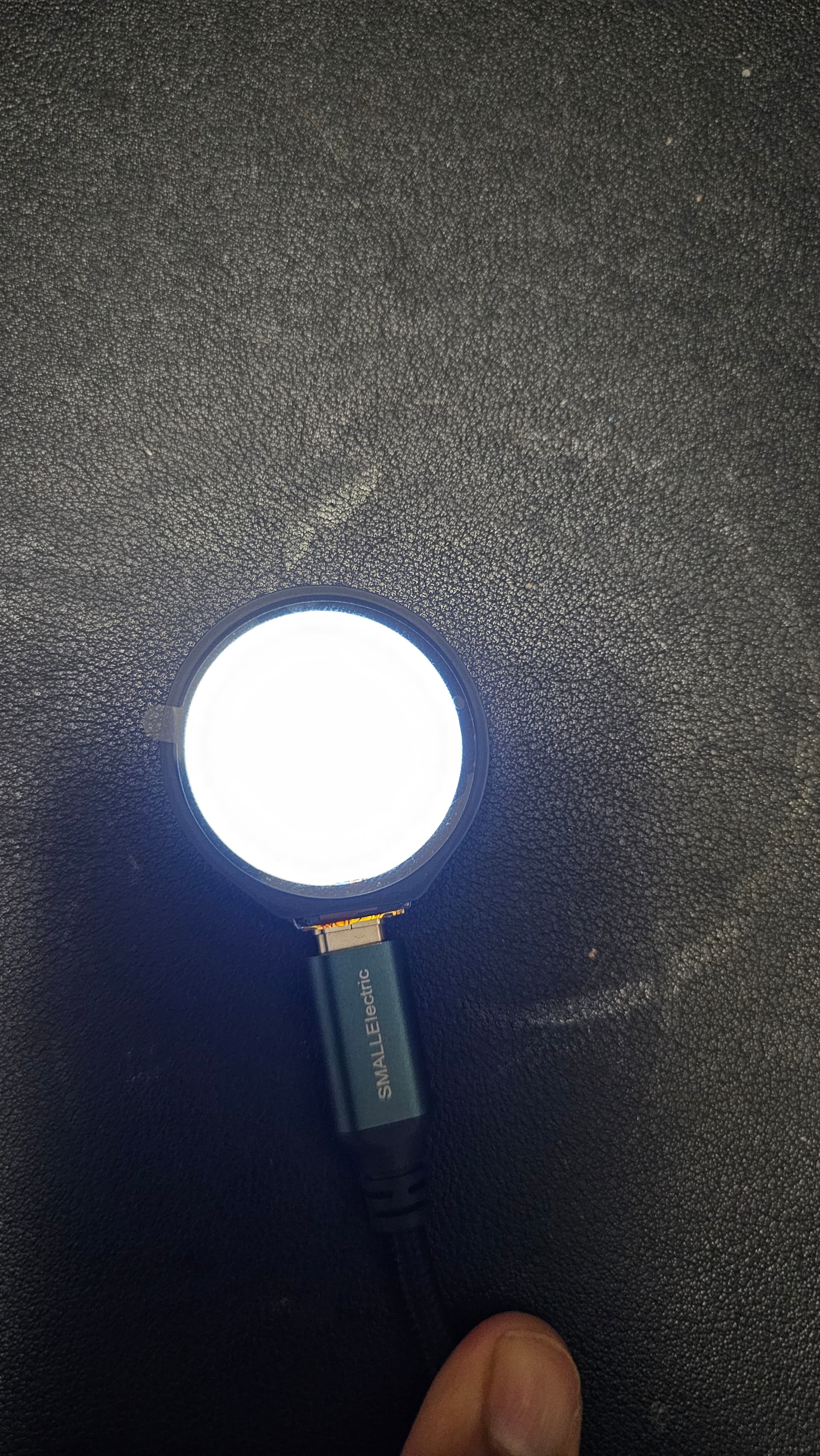
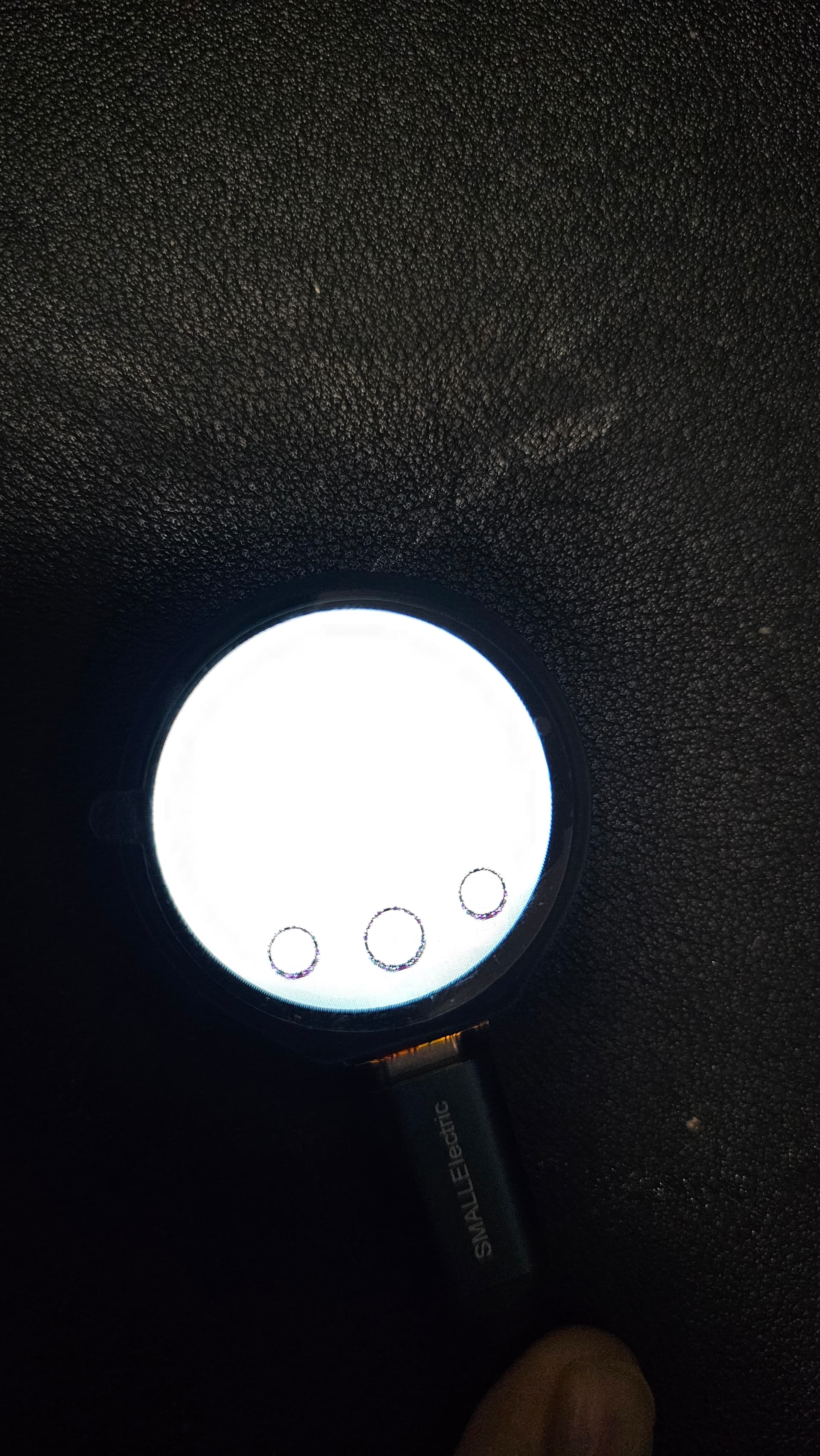
I want to utilize the canvas widget to draw pixels in a given rectangle (window). I was able to get buttons to display on the screen but once I add in the canvas nothing get’s displayed. Just a white screen.
What have you tried so far?
I’ve tried the base examples, even removing the buttons and trying the canvas part by itself. Every time I introduce the canvas I just get a white screen instead of a smaller white screen.
Code to reproduce
We need to change the color though to LV_COLOR_FORMAT_RGB565.
/********************************************************************************
function:	Refresh image by transferring the color data to the SPI bus by DMA
parameter:
********************************************************************************/
static void display_flush_callback(lv_display_t *display, const lv_area_t *area, unsigned char *colour)
{

    LCD_1IN28_SetWindows(area->x1, area->y1, area->x2 , area->y2);
    dma_channel_configure(dma_tx,
                          &c,
                          &spi_get_hw(LCD_SPI_PORT)->dr,
                          colour, // read address
                          ((area->x2 + 1 - area-> x1)*(area->y2 + 1 - area -> y1))*2,
                          true);

}

/********************************************************************************
function:   Indicate ready with the flushing when DMA complete transmission
parameter:
********************************************************************************/
static void direct_memory_access_handler(void)
{
    if (dma_channel_get_irq0_status(dma_tx)) {
        dma_channel_acknowledge_irq0(dma_tx);
        lv_display_flush_ready(display);         /* Indicate you are ready with the flushing*/
    }
}

int RP2350TouchLCD128PW(void)
{
    // Must initialize SPI and GPIO before display init
    if (DEV_Module_Init() != 0) {
        printf("DEV_Module_Init failed.\n");
        return -1;
    }
    // Initialize WaveShare 1.28" LCD - Screen
    DEV_SET_PWM(100);
    LCD_1IN28_Init(HORIZONTAL);
    LCD_1IN28_Clear(WHITE);


    // Initialize Touch Screen - Button
    CST816S_init(CST816S_Point_Mode);
    printf("Touch screen initialized\n");

    // Initialize IMU - Accel
    QMI8658_init();
    printf("IMU initialized\n");

    // Initialize LVGL
    lv_init();
    printf("LVGL initialized\n");

    // Initialize LVGL Display
    lv_display_t *display = lv_display_create(DISP_HOR_RES, DISP_VER_RES);
    lv_display_set_flush_cb(display, display_flush_callback);
    lv_display_set_buffers(display, buffer0, buffer1, sizeof(buffer0), LV_DISPLAY_RENDER_MODE_FULL);
    printf("LVGL display configured\n");

    // Iniitialize Touch Screen Input
    lv_indev_t *touch = lv_indev_create();
    lv_indev_set_type(touch, LV_INDEV_TYPE_POINTER);
    lv_indev_set_read_cb(touch, touch_read_callback);

    // Initialize Accelerometer Input
    lv_indev_t *accel = lv_indev_create();
    lv_indev_set_type(accel, LV_INDEV_TYPE_ENCODER);
    lv_indev_set_read_cb(accel, accel_read_callback);
    gpio_set_irq_enabled_with_callback(Touch_INT_PIN, GPIO_IRQ_EDGE_FALL, true, &touch_callback);

    // Group Input Device
    lv_group_t *group = lv_group_create();
    lv_indev_set_group(touch, group);
    lv_indev_set_group(accel, group);

    // Initialize DMA Direct Memory Access
    dma_channel_set_irq0_enabled(dma_tx, true);
    irq_set_exclusive_handler(DMA_IRQ_0, direct_memory_access_handler);
    irq_set_enabled(DMA_IRQ_0, true);

    lv_obj_t *screen = lv_screen_active();

    /*Create a buffer for the canvas*/
    LV_DRAW_BUF_DEFINE_STATIC(draw_buf, CANVAS_WIDTH, CANVAS_HEIGHT, LV_COLOR_FORMAT_RGB565);
    LV_DRAW_BUF_INIT_STATIC(draw_buf);

    /*Create a canvas and initialize its palette*/
    lv_obj_t * canvas = lv_canvas_create(lv_screen_active());
    lv_canvas_set_draw_buf(canvas, &draw_buf);

    lv_canvas_fill_bg(canvas, lv_color_hex3(0xccc), LV_OPA_COVER);
    lv_obj_center(canvas);

    lv_layer_t layer;
    lv_canvas_init_layer(canvas, &layer);

    lv_draw_rect_dsc_t dsc;
    lv_draw_rect_dsc_init(&dsc);
    dsc.bg_color = lv_palette_main(LV_PALETTE_RED);
    dsc.border_color = lv_palette_main(LV_PALETTE_BLUE);
    dsc.border_width = 3;
    dsc.outline_color = lv_palette_main(LV_PALETTE_GREEN);
    dsc.outline_width = 2;
    dsc.outline_pad = 2;
    dsc.outline_opa = LV_OPA_50;
    dsc.radius = 5;
    dsc.border_width = 3;

    lv_area_t coords = {10, 10, 40, 30};

    lv_draw_rect(&layer, &dsc, &coords);

    lv_canvas_finish_layer(canvas, &layer);


    /* Your round buttons below the canvas */
    lv_obj_t *left_button = lv_btn_create(screen);
    lv_obj_add_event_cb(left_button, event_handler, LV_EVENT_ALL, NULL);
    lv_obj_align(left_button, LV_ALIGN_CENTER, -60, 70);
    lv_obj_set_size(left_button, 30, 30);
    lv_obj_set_style_radius(left_button, LV_RADIUS_CIRCLE, 0);
    lv_obj_set_style_bg_color(left_button, lv_color_white(), 0);
    lv_obj_set_style_border_width(left_button, 2, 0);
    lv_obj_set_style_border_color(left_button, lv_color_black(), 0);

    lv_obj_t *center_button = lv_btn_create(screen);
    lv_obj_add_event_cb(center_button, event_handler, LV_EVENT_ALL, NULL);
    lv_obj_align(center_button, LV_ALIGN_CENTER, 0, 80);
    lv_obj_set_size(center_button, 37, 37);
    lv_obj_set_style_radius(center_button, LV_RADIUS_CIRCLE, 0);
    lv_obj_set_style_bg_color(center_button, lv_color_white(), 0);
    lv_obj_set_style_border_width(center_button, 2, 0);
    lv_obj_set_style_border_color(center_button, lv_color_black(), 0);

    lv_obj_t *right_button = lv_btn_create(screen);
    lv_obj_add_event_cb(right_button, event_handler, LV_EVENT_ALL, NULL);
    lv_obj_align(right_button, LV_ALIGN_CENTER, 60, 70);
    lv_obj_set_size(right_button, 30, 30);
    lv_obj_set_style_radius(right_button, LV_RADIUS_CIRCLE, 0);
    lv_obj_set_style_bg_color(right_button, lv_color_white(), 0);
    lv_obj_set_style_border_width(right_button, 2, 0);
    lv_obj_set_style_border_color(right_button, lv_color_black(), 0);

    tick_timer = lv_timer_create(tick_timer_callback, 5, NULL);

    printf("LVGL Initialized Successfully!\r\n");
    return 0;
}
Screenshot and/or video
Environment
- MCU/MPU/Board: RP2350 https://www.waveshare.com/wiki/RP2350-Touch-LCD-1.28
- LVGL version: v9.3.0