LVGL9.3.0
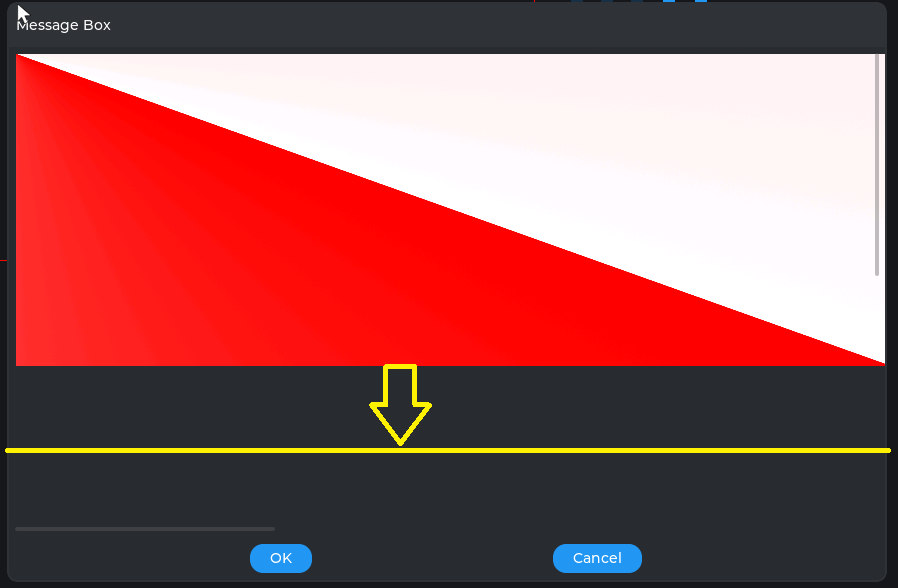
I create a msgbox with lv_msgbox_create() and set size to be: 800*600; and create a large image with lv_image_create(), the image size is 2880 * 1024; then I use lv_style_set_transform_zoom() to zoom out the image size to fit msgbox, all of image could be seen on msgbox. Now I create buttons with lv_msgbox_add_footer_button(), but no any button could be found on msgbox. How to fix it?
Create button on top of msgbox with lv_msgbox_add_header_button() is OK, but I want to create buttons on the bottom of msgbox. Could anyone help me?
Thank you so much~
Hi,
Please send a code snippet to show what you have tried so far, and also a simple screenshot-explanation about what the expected result is.
This seems to work:
static void Create_MessageBox(void)
{
    msgbox1 = lv_msgbox_create(lv_scr_act());

    lv_msgbox_add_title(msgbox1, "Message Box");
    lv_msgbox_add_header_button(msgbox1, LV_SYMBOL_CLOSE);
    lv_msgbox_add_footer_button(msgbox1, "OK");
    lv_msgbox_add_footer_button(msgbox1, "CANCEL");
    lv_obj_t * _cont = lv_msgbox_get_content(msgbox1);
    lv_obj_set_style_bg_image_src(_cont, &img_test_800x480, LV_PART_MAIN | LV_STATE_DEFAULT);
    lv_obj_set_style_transform_zoom(_cont, 300, LV_PART_MAIN | LV_STATE_DEFAULT); // 256 = 100%

    lv_obj_set_width(msgbox1, 600);
    lv_obj_set_height(msgbox1, 400);
    lv_obj_center(msgbox1);
}
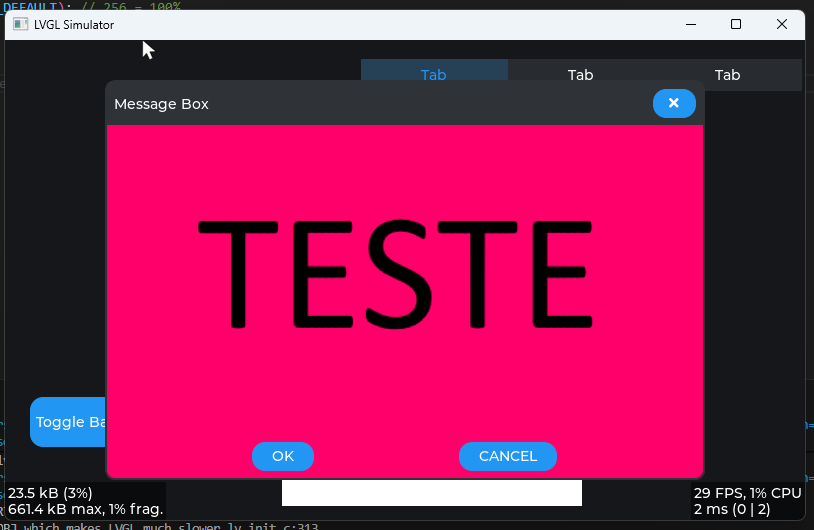
Great!
Hello, thank you so much for your help.
Does your image(img_test_800x480) converted to C code, it’s lv_obj_t type?
My image is jpeg, and I cannot convert it to C code or lv_obj_t type, because I will display different jpeg image for every time.
So I cannot fix my problem with your code.
I will send code snippet soon
My image was a “png” image since i am using the python script to convert images and it seems to only accept “png”, but a jpeg converted to “image” using the online conversion tool should also work.
I didn’t create an image with lv_image_create since it’s not necessary, if you want to use an image has background you can just request the container used in messagebox and set a background image to that, although if you create an object an image object lv_image_create and set the parent to that container should also work.
If you are creating an image with lv_image_create and set the parent to messageBox object, yes, in this case the image box (header, footer, etc…) will most likelly overlap by the image depending on the “image” size and “position”.
What is the container? msgbox1?
Can you give me a example by lv_image_create?
Thanks~
Here is my code snippet:
static void Create_MessageBox(void)
{
    lv_obj_t* msgbox = lv_msgbox_create(lv_scr_act());
    lv_msgbox_add_title(msgbox, "Message Box");
    lv_obj_set_size(msgbox, 880, 580);

    lv_obj_t* img = lv_image_create(msgbox);
    lv_image_set_src(img, "A:./image/test.jpg");//test.jpg size: 2880*1024
    lv_obj_align(img, LV_ALIGN_CENTER, 0, 0);

    static lv_style_t style_zoom;
    lv_style_init(&style_zoom);
    lv_style_set_transform_zoom(&style_zoom, 78);
    lv_obj_add_style(img, &style_zoom, 0);

    lv_msgbox_add_footer_button(msgbox, "OK");
    lv_msgbox_add_footer_button(msgbox, "Cancel");
}
This is probably your problem, when doing this, the image will be created on Top of the entire messagebox object, the buttons created with lv_msgbox_add_footer_button will be “children” of msgbox and will be drawn before the “image” being overlap by the image.
You can fix it by changing:
to:
lv_obj_t *img = lv_image_create(lv_msgbox_get_content(msgbox));
and it will show this…
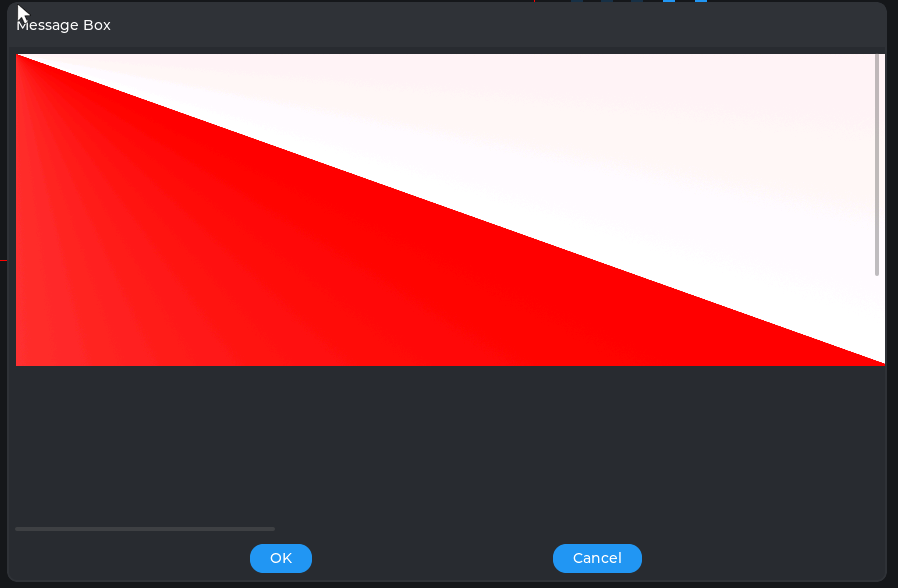
And maybe add this:
lv_obj_set_flag(lv_msgbox_get_content(msgbox), LV_OBJ_FLAG_SCROLLABLE, false); // Disable scrolling
To disable the scroll bars…
Thanks, your solution fixed my problem~