What do I want to achieve?
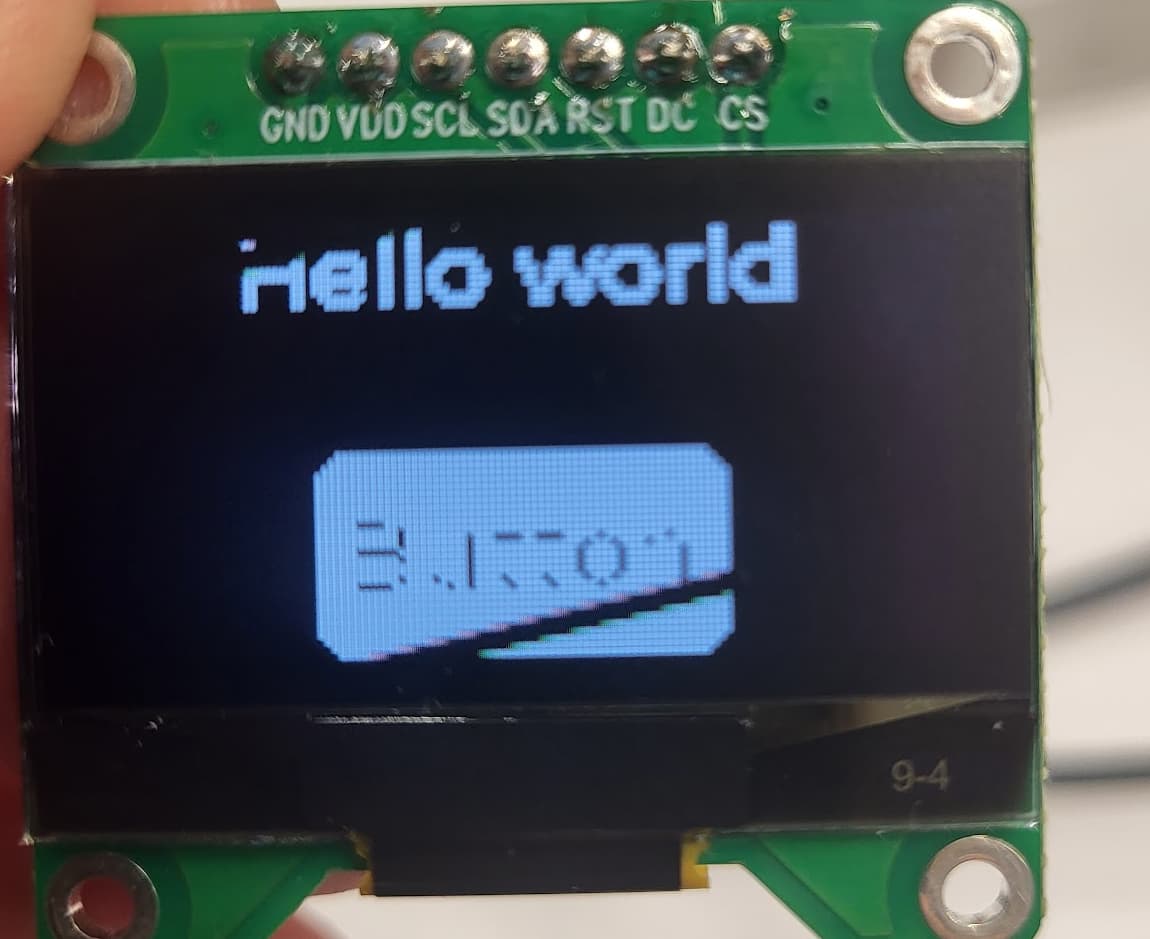
I want my button label to be more visible or thicker like other lable (hello world) outside the button (see the picture…). Why in general the label on the button looks so different?
What have I tried so far?
Change the button label font to “lv_font_montserrat_20” but it doesnt help.
Code to reproduce
void lv_example_button(void)
{

    /*Create a white label, set its text and align it to the center*/
    lv_obj_t * label_text = lv_label_create(lv_screen_active());
    lv_label_set_text(label_text, "Hello world");
    //lv_obj_set_style_text_color(lv_screen_active(), lv_color_hex(0xffffff), LV_PART_MAIN);
    lv_obj_align(label_text, LV_ALIGN_TOP_MID, 0, 0);


    lv_obj_t * btn = lv_button_create(lv_screen_active());     /*Add a button the current screen*/
    //lv_obj_set_pos(btn, 10, 10);                            /*Set its position*/
    lv_obj_set_size(btn, 60, 30);
    lv_obj_set_align(btn, LV_ALIGN_BOTTOM_MID);                       /*Set its size*/
    lv_obj_add_event_cb(btn, btn_event_cb, LV_EVENT_ALL, NULL);           /*Assign a callback to the button*/

    lv_obj_t * label = lv_label_create(btn);          /*Add a label to the button*/

    lv_label_set_text(label, "Button");                     /*Set the labels text*/
    //lv_obj_set_style_text_font(label, &lv_font_montserrat_20, LV_PART_MAIN);
    //lv_obj_set_width(label, 100);
    lv_obj_center(label);
}
Screenshot and/or video
Environment
- MCU/MPU/Board: ESP32
- LVGL version: 9.2