Hi everyone!
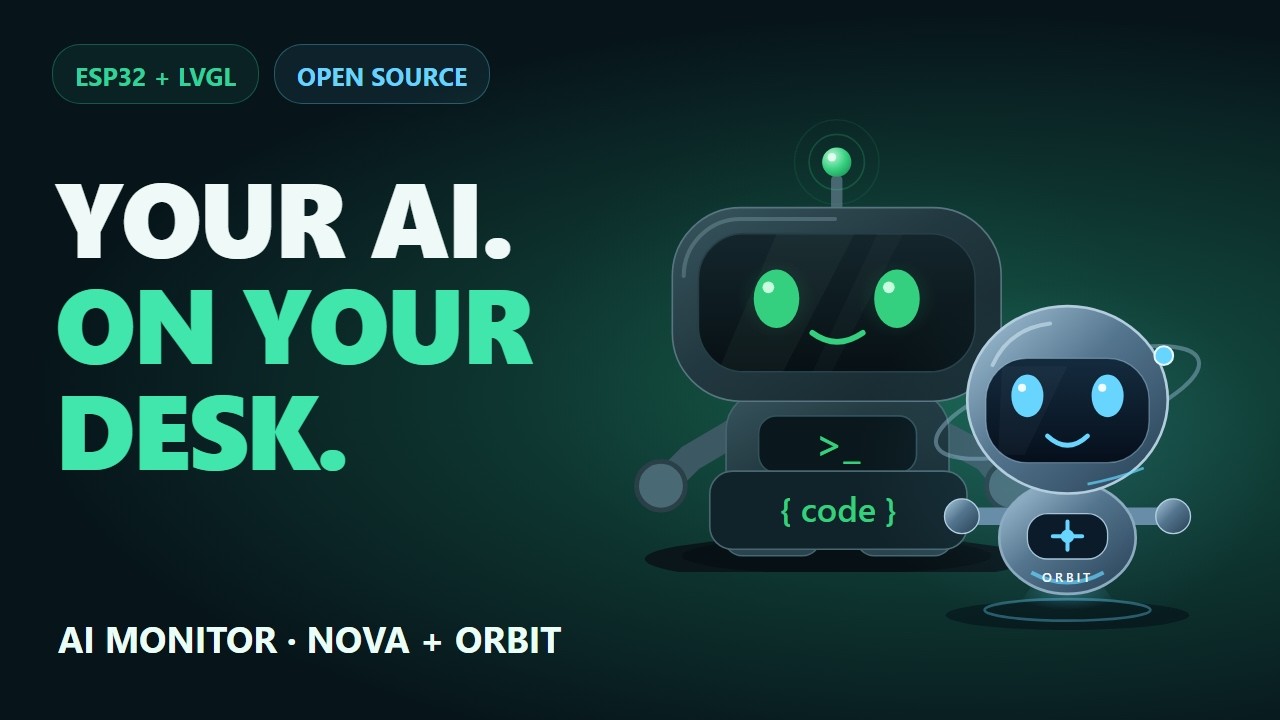
I’ve been working on AI Monitor, an open-source desk companion for AI coding tools, built around LVGL 9.6. The original hardware is the GUITION JC4880P433 ESP32-P4 touchscreen, and v1.13.0 adds a separately selectable, experimental Waveshare ESP32-S3-Touch-LCD-4.3 firmware.
The idea is to keep supported AI usage limits on a small dedicated screen, while an animated robot reacts to recorded token activity on the PC. It connects over USB, so the display does not need cloud credentials.
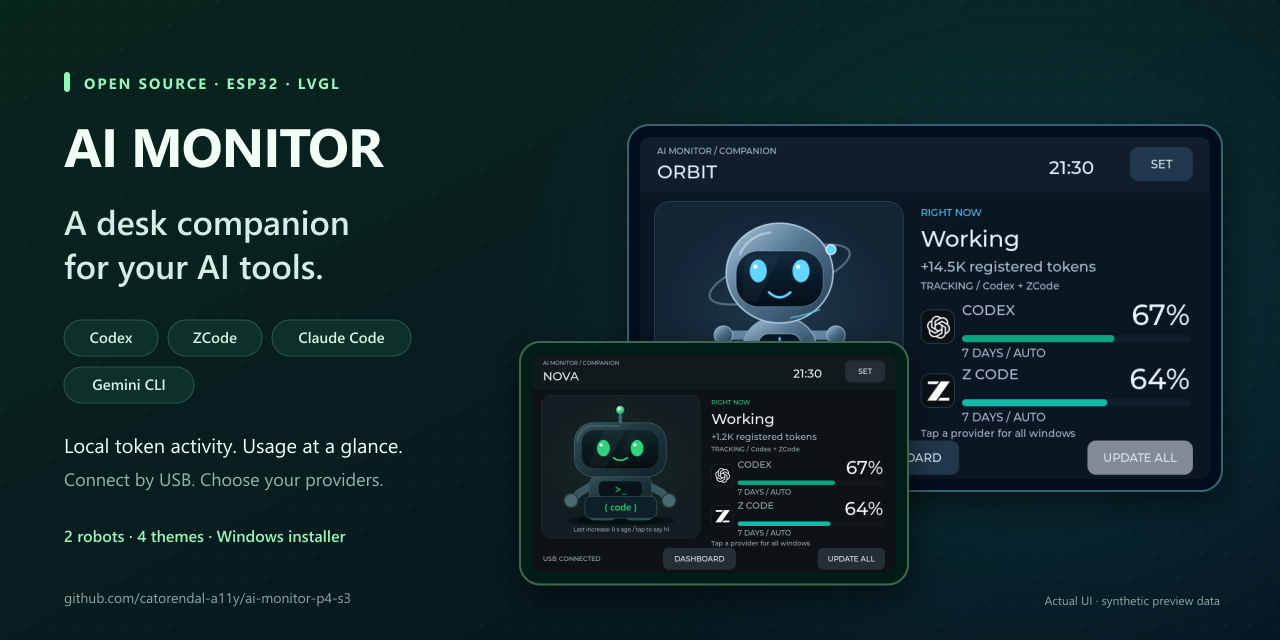
These are renders from the actual LVGL interface using synthetic data, not photographs of the hardware.
Update: v1.16.1 — clearer usage settings and tested Windows setup
SET > AI USAGE now explains each provider directly on the display. Every window shows its remaining percentage and data status, with a separate saved selection for NOVA and ORBIT. Live values update while Settings stays open, without rebinding a touch target; REFRESH reloads available options explicitly.
- Codex: 5 HOURS / 7 DAYS, with instructions to sign in using ChatGPT in the PC app.
- ZCode: 5 HOURS / 7 DAYS model quotas when reported, plus the separate MONTHLY MCP tool-call quota. Add your own ZAI Coding Plan API key in the PC app. Monthly MCP is not a monthly model-token budget. The host now reads that monthly row and correctly labels the weekly model row.
- Claude Code: optional statusline bridge for reported quota. Gemini CLI: recorded local activity only. Other editor integrations explain their numeric bridge requirements.
- Known missing windows remain visible and selectable, but NOT REPORTED never becomes a fabricated percentage. Alerts still check every window.
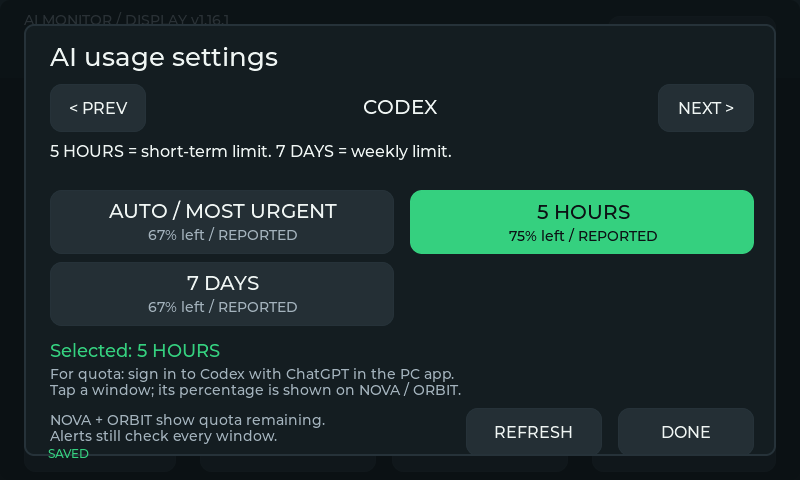
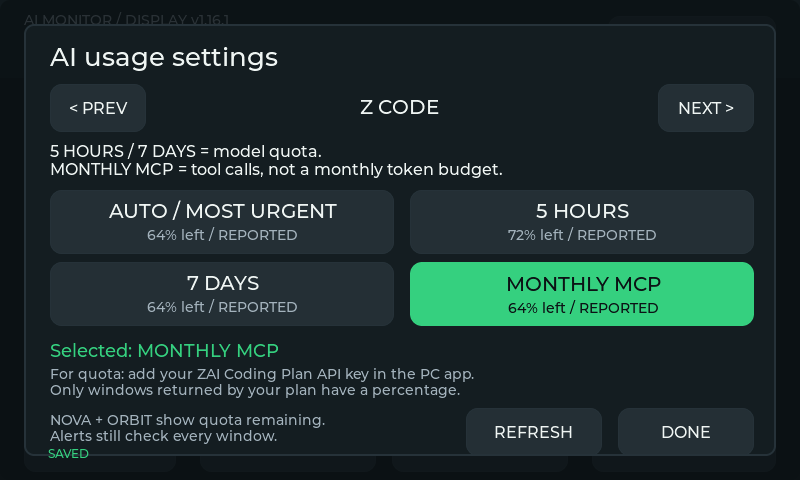
Actual LVGL UI renders using synthetic values, not hardware photos.
The larger companion status area retains 40-pixel percentages, 20-pixel provider names and 16-pixel status text. Alerts use a 136-pixel banner, 24-pixel heading, 20-pixel quota text and a 60-pixel DISMISS target.
Windows setup: download AI-Monitor-Setup-v1.16.1-windows.exe. The per-user installer contains the Qt app, runtime, flasher and both firmware choices; no separate Python/PlatformIO installation or administrator access is required. Choose your board/providers, use your own account/key, review the USB target and confirm firmware writing in the app. Firmware progress and errors remain visible. Double-clicking the CLI helper offers to open the graphical Firmware tab. Closing the desktop app leaves the independent host running invisibly.
Validation: 148 Python tests, both firmware builds, native LVGL/protocol tests under both board profiles, NVS checks, clean Windows installation/upgrade/settings-preserving uninstall, and packaged GUI/flasher startup checks. The P4 application update and stable boot were verified on the physical board. S3 is still experimental and untested on physical S3 hardware. Windows binaries remain unsigned, so SmartScreen may warn; Windows protections are not disabled.
Download v1.16.1 — installer, portable ZIP and SHA-256 checksums
Hardware and LVGL implementation
- GUITION JC4880P433, 4.3-inch ST7701S MIPI-DSI panel and GT911 capacitive touch.
- 800 x 480 landscape UI, Arduino/PlatformIO and LVGL 9.6.
- LVGL and backlight updates owned by a dedicated FreeRTOS UI task.
- Transparent RGB565+A8 companion images, so the robots blend into different backgrounds.
- Persistent display settings, with save feedback and validation.
New in v1.13.0: selectable ESP32-S3 firmware
The same repository and Windows package now let users explicitly choose GUITION P4 or the original Waveshare ESP32-S3-Touch-LCD-4.3 before choosing their AI providers. Each board has its own firmware image and display backend; the host checks the selected board’s identity and the flasher verifies chip headers, offsets and SHA-256.
The S3 target uses an ST7262 RGB panel, GT911 touch and the CH422G expander, with 16 MB flash and 8 MB OPI PSRAM. It uses one PSRAM framebuffer, RGB bounce buffers, a partial LVGL draw buffer and Espressif’s matching PSRAM XIP SDK. Use its USB TO UART connector for both flashing and host data. B/C variants are not supported.
S3 is experimental and has not been tested on physical hardware. Both firmware targets compile and the shared protocol/UI tests pass, but RGB stability, tearing, touch alignment and sustained operation need a real S3 board test. The original S3 backlight supports on/off only: intermediate brightness visually dims the image; only zero switches the LEDs off. P4 retains PWM dimming.
Board compatibility and S3 setup
What the UI does
You can switch between two companions, NOVA and ORBIT, and four themes: Forest, Ocean, Amethyst and Ember.
There is also a provider dashboard, detailed quota windows, reset countdowns, manual refresh, low/critical warnings, session history, brightness presets, gradual idle dimming and scheduled night brightness.
Robot activity and quota polling are separate: the robot follows increases in recorded local token counters. Some clients save usage only when a request finishes, so activity can lag generation. This is not a billing ledger or a per-token stream.
AI integrations and PC setup
Native local activity adapters cover Codex, ZCode, Claude Code and Gemini CLI. Codex and ZCode have quota integrations; Claude quota can use its documented statusline bridge. Other selectable providers require an external numeric telemetry bridge, rather than automatic tracking.
The Windows package includes the host runtime, firmware flasher and separate prebuilt firmware for both board choices. Extract it, open AI-Monitor.exe, choose your board, providers and USB port, then start the host. No board or AI is preselected on a fresh installation. Codex setup offers the official CLI installation/sign-in when needed, using the new user’s own account.
Source, UI previews and setup instructions:
Ready-to-run Windows package:
The USB protocol follows AIM1/JSON from tobymarks/esp32-ai-monitor, with project extensions for local activity and display controls. Credit to that project for the protocol reference. Project-owned code and robot artwork are MIT; bundled components and provider marks retain their own terms.
I’d appreciate feedback on the LVGL UI, the robot/theme approach, and the experience on the P4 board. Feedback from anyone testing the original Waveshare S3 board would also help. If you build one, I’d love to see your setup!